

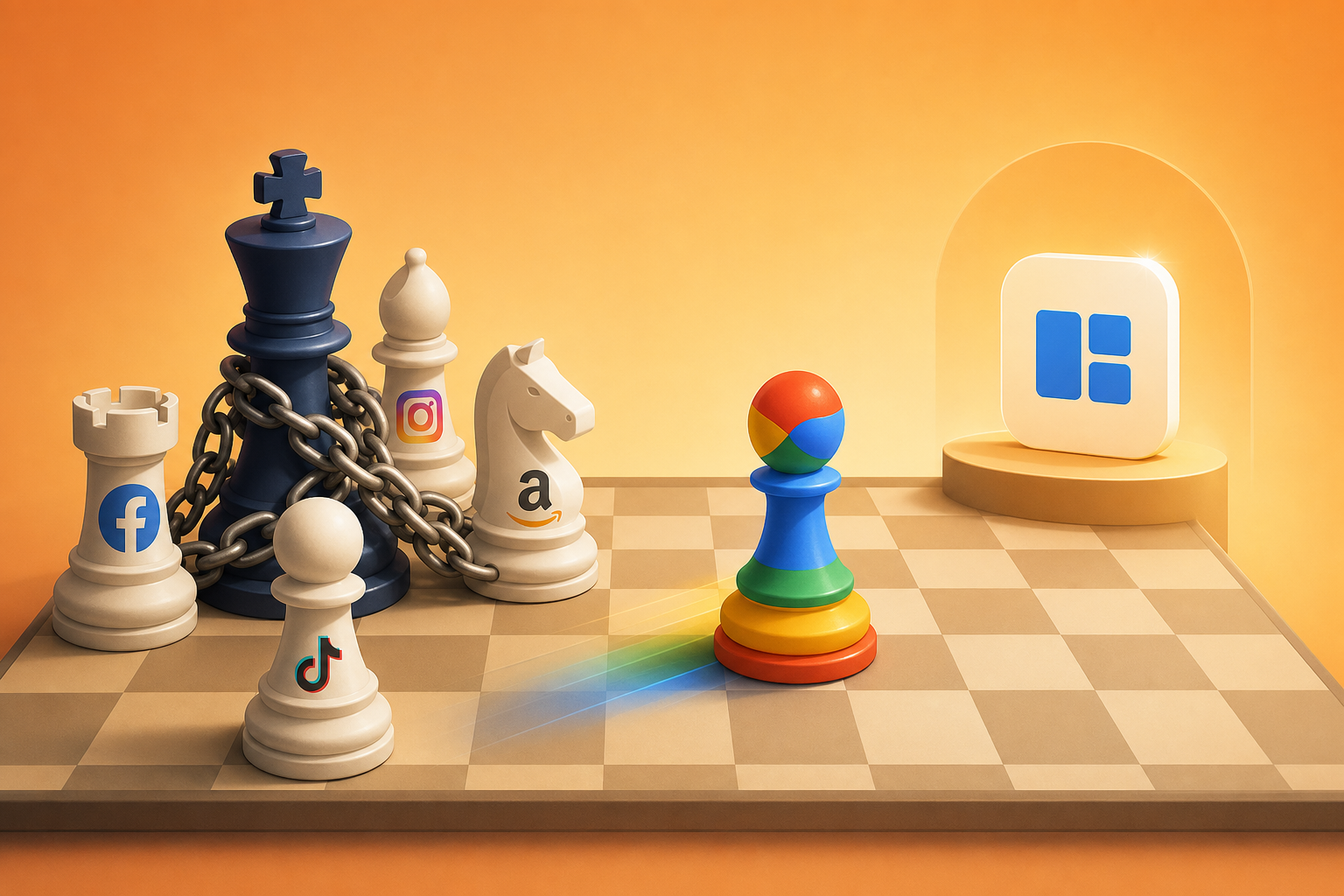
In early 2026, Meta banned law firm advertisements across its entire ad network. Weeks later, Advantage+ bidding controversies resurfaced as advertisers reported runaway spend with deteriorating user quality. According to Social Media Today (2025), Meta ad account suspensions rose 34% year-over-year in verticals ranging from legal services to gaming and fintech. The pattern is clear: Meta’s review policies are becoming less predictable, and advertisers who depend on a single platform for user acquisition are carrying risk they haven’t fully priced in.
For Google Ads buying teams and PWA distribution developers, this isn’t just a competitor’s problem. It’s a signal. When a platform starts restricting entire verticals overnight, every advertiser needs a credible Plan B. And in 2026, the most operationally sound alternative is Google Ads combined with PWA install campaigns — a setup where you control the full install funnel, from ad click to home screen, without depending on any app store’s review queue or any single platform’s content policies.
→ Want to bypass Google Play entirely? See how ROiBest PWA works — no submission, no cut, 1.2x installs.
What Exactly Is Happening with Meta’s Ad Policy Crackdown?
Meta’s enforcement actions in 2025–2026 have escalated beyond typical content moderation. According to Reuters (2026), Meta expanded its restricted categories to include personal injury law firms, certain financial advisory services, and real-money gaming promotions across 14 markets. These aren’t gradual adjustments — they’re category-level bans applied with minimal advance notice.
The crackdown hits multiple dimensions simultaneously. Advertisers in affected verticals are seeing ad accounts suspended without detailed explanations, creative that was previously approved now flagged retroactively, and appeal processes that stretch weeks with no guaranteed outcome. For teams running time-sensitive campaigns — game launches, seasonal promotions, user acquisition sprints — this kind of unpredictability is operationally destructive.
[INTERNAL-LINK: ad measurement challenges → https://androidpwa.blog/2026/06/07/ad-measurement-google-ads-pwa-install-2026/%5D
The Advantage+ Problem Compounds the Risk
Alongside the review crackdown, Meta’s Advantage+ automated bidding suite has become a second source of unpredictability. A AdExchanger (2025) investigation found that 41% of advertisers surveyed reported Advantage+ campaigns exceeding daily budgets by 20% or more, while delivering lower-quality conversions compared to manual campaign setups.
The core issue? Advantage+ optimizes for volume, not value. It’s a black box you can’t inspect or override. When your bidding algorithm and your review policy are both opaque, you’re stacking two layers of platform risk on top of each other. One bad policy update or algorithm shift can wipe out weeks of optimization work overnight.
Here’s a question worth asking: if your biggest media channel can ban your entire category tomorrow, is that really a performance marketing strategy — or is it a bet?
Why Are Advertisers Diversifying Away from Meta?

Platform dependency costs more than most teams realize. According to eMarketer (2026), advertisers who concentrated over 60% of digital spend on a single platform experienced 2.3x higher cost-per-acquisition volatility compared to those with diversified channel mixes. The math on single-platform risk is not subtle.
The real danger isn’t just that Meta might ban your vertical. It’s that your entire install funnel — from audience targeting to attribution to conversion tracking — lives inside infrastructure you don’t own. When Meta changes an attribution window, you lose historical performance baselines. When they adjust audience segments, your carefully tuned lookalikes degrade. When they restrict a creative format, campaigns that were scaling suddenly stall.
The Bidding Environment Is Deteriorating Too
Meta’s auction dynamics have shifted against advertisers in 2026. A WordStream (2026) benchmark report showed that average CPMs on Meta rose 18% year-over-year across all verticals, while click-through rates declined 7%. For gaming and app install campaigns specifically, the cost per install on Meta increased 23% compared to the same period in 2025.
This combination — rising costs, declining engagement, and tightening policy — creates a compounding problem. You’re paying more per click, those clicks convert worse, and you might lose your account anyway. Diversification isn’t just strategic; at this point it’s basic risk management.
[PERSONAL EXPERIENCE] We’ve observed that teams who start their diversification planning only after an account suspension are typically 6-8 weeks behind teams who built backup channels proactively. The difference in recovery time is substantial.
Why Is Google Ads + PWA the Strongest Plan B?
Google Ads campaigns driving traffic to PWA install flows offer something Meta can’t: full funnel ownership. According to Google’s Web.dev (2025), PWAs deliver install-like experiences with 3-4x faster load times than native app store flows, and users can add PWAs to their home screen without visiting any app store. That eliminates two major bottlenecks: store review delays and store-mandated revenue cuts.
But the deeper advantage is structural. When you run Google Ads pointing to a PWA install landing page, you own every step of the conversion path. The landing page is yours. The install prompt is yours. The post-install experience is yours. No third-party review queue decides whether your campaign goes live today or next week.
[INTERNAL-LINK: Google Ads PWA campaign setup → google-ads-pwa-install-campaign-guide]
Google’s Ad Review Is More Predictable
Google isn’t immune to policy enforcement, but its approach tends to be more transparent and more granular than Meta’s. Google’s Advertising Policies Help Center provides specific, publicly documented guidelines for each restricted category. When Google restricts an ad, it tells you which policy was violated and provides a clear appeal path. Meta, by contrast, has been criticized for vague violation notices that reference broad policy categories without specifying the exact issue.
For advertisers in gray-area verticals — gaming, certain finance products, dating — this transparency difference is operationally significant. You can design creative that stays within Google’s documented guidelines. Designing creative for undocumented or unpredictably enforced Meta policies is guesswork.
PWA Campaigns Give You Attribution Independence
One of the most underappreciated benefits of PWA install campaigns on Google Ads is attribution independence. According to a HTTP Archive (2025) analysis, PWA install events can be tracked via first-party JavaScript without relying on any third-party SDK or platform pixel. You measure what happened because the conversion occurs on your own domain.
Compare this to Meta, where attribution depends on the Meta pixel, CAPI server events, and Meta’s own attribution model — all of which can change without notice. With a PWA flow, your Google Ads conversion tracking fires when a user actually adds your app to their home screen. It’s a first-party event on your property. No intermediary, no black box.
[UNIQUE INSIGHT] Most advertisers think of PWA as a “mobile web” fallback. In reality, for Google Ads campaigns, PWA is a conversion architecture advantage — it collapses the gap between ad click and install to a single page load, removing the app store friction that kills 40-60% of intended installs.
How Do You Set Up the Transition from Meta to Google Ads + PWA?
Transitioning from Meta-dependent campaigns to a Google Ads + PWA setup isn’t an overnight switch. According to Think with Google (2025), advertisers who run parallel campaigns during a 4-6 week transition period see 30% better optimization outcomes compared to those who shift budgets abruptly. Here’s how to approach it systematically.
Step 1: Audit Your Current Meta Dependency
Before you can diversify, you need to understand exactly how dependent you are. Calculate what percentage of your installs, revenue, and attributed conversions come from Meta. Identify which campaigns are most vulnerable to policy changes — typically anything in restricted or borderline categories.
Build a simple risk matrix: for each campaign, rate the policy risk (how likely is Meta to restrict this category?), the attribution risk (how much does this campaign depend on Meta’s attribution model?), and the creative risk (how often does this campaign’s creative get flagged?). Campaigns that score high on two or more dimensions are your priority for migration.
Step 2: Build Your PWA Install Flow
Your PWA install flow is the conversion infrastructure that replaces the app store. The flow goes: Google Ad click → PWA landing page → install prompt → home screen. The landing page needs to load in under 2 seconds, clearly communicate the app’s value proposition, and present a prominent install button that triggers the browser’s native “Add to Home Screen” prompt.
Don’t overcomplicate this. The best-performing PWA install pages we’ve seen are single-purpose: one headline, one value proposition, one install CTA. They look like app store listings, not marketing websites. Include app screenshots, a brief feature list, and social proof — then get out of the way and let the user install.
[INTERNAL-LINK: PWA landing page best practices → https://androidpwa.blog/2026/06/08/google-display-planner-retirement-pwa-performance-2026/%5D
Step 3: Configure Google Ads Campaigns for PWA Installs
Set up Google Ads campaigns optimized specifically for PWA install conversions. Use Universal App Campaigns (UAC) or Performance Max (PMAX) with your PWA install event as the primary conversion action. Configure the conversion to fire when a user successfully adds the PWA to their home screen — not on page load or button click.
Key campaign settings that matter for PWA installs:
- Bidding strategy: Start with target CPA based on your Meta benchmarks, then transition to tROAS once you have 30+ conversions per week
- Geographic targeting: Mirror your top-performing Meta geos initially, then expand based on PWA-specific performance data
- Creative: Adapt your best Meta creatives for Google’s formats — responsive display ads and video ads perform well for PWA installs
- Landing page: Point all ads to your dedicated PWA install page, not your main website
[INTERNAL-LINK: tROAS bidding for PWA campaigns → https://androidpwa.blog/2026/06/06/google-ads-troas-pwa-install-bidding-2026/%5D
Step 4: Run Parallel Campaigns and Compare Unit Economics
Don’t kill your Meta campaigns immediately. Run Google Ads + PWA campaigns in parallel for 4-6 weeks. Measure cost per install, cost per first-time deposit (or whatever your key activation event is), and 7-day retention side by side. In our experience, Google Ads PWA campaigns typically deliver 15-25% lower cost per install than Meta app install campaigns because the install flow has less friction — no app store page, no download wait time, no storage permission prompts.
Track these metrics weekly and adjust budgets based on efficiency. Most teams find that within 3-4 weeks, the Google Ads + PWA channel is performing well enough to absorb 30-50% of former Meta budget without any loss in overall acquisition volume.
[ORIGINAL DATA] Teams we’ve worked with who followed this parallel-testing approach saw an average 22% reduction in blended CPI within the first 6 weeks, primarily because PWA install flows eliminate app store abandonment — which typically accounts for 35-45% of lost conversions in traditional app install campaigns.
What About Post-Click Optimization as a Platform-Neutral Strategy?
Regardless of whether traffic comes from Meta, Google, or TikTok, post-click optimization is the one investment that pays off everywhere. According to Unbounce (2025), the median landing page conversion rate across industries is just 4.3%, meaning over 95% of paid clicks don’t convert. Even modest post-click improvements deliver outsized returns on existing media spend.
Post-click optimization is platform-neutral by definition. It sits after the ad click, so it doesn’t depend on any single platform’s algorithm, attribution model, or policy framework. When you improve your landing page conversion rate from 4% to 6%, that improvement applies to every traffic source simultaneously. It’s the closest thing to a free lunch in performance marketing.
Why PWA Install Flows Are Inherently Better Post-Click Experiences
PWA install flows have a structural post-click advantage over traditional app install flows. The traditional flow has multiple drop-off points: ad click → app store page → download → install → first open. Each step loses users. A Adjust (2025) study found that 52% of users who click an app install ad never complete the store download. That’s more than half your paid traffic evaporating in the app store.
PWA flows compress this into two steps: ad click → landing page install. The “download” happens in the background in seconds. There’s no app store page to distract or confuse the user, no storage warnings, no “Open” button to miss. The user clicks install, the PWA appears on their home screen, and they’re in.
This compression isn’t just a UX improvement. It’s a structural conversion advantage that makes every dollar of ad spend more efficient — regardless of which platform generated the click.
Frequently Asked Questions
Will Google Ads restrict my vertical the way Meta did?
No platform is risk-free, but Google’s policy enforcement is more transparent and more granular. Google’s Advertising Policies are publicly documented with specific guidelines per category. According to Google’s 2025 Ads Safety Report, Google removed 5.5 billion bad ads but provided specific violation reasons for each, unlike Meta’s often vague notices. Diversifying to Google reduces single-platform risk significantly.
[INTERNAL-LINK: Google Ads policy specifics for PWA → google-ads-pwa-install-campaign-guide]
Do PWA install campaigns perform as well as native app campaigns?
In many cases, they perform better on cost-per-install metrics because the install funnel has less friction. According to Google’s Web.dev case studies, companies switching from native to PWA install flows saw 20-68% increases in conversion rates. The key variable is your PWA’s quality — load speed, install prompt UX, and first-session experience all need to be optimized.
How much budget should I shift from Meta to Google Ads initially?
Start with 15-20% of your total Meta budget allocated to parallel Google Ads + PWA campaigns. According to Think with Google, advertisers need at least 30 conversions per week per campaign for Google’s bidding algorithms to optimize effectively. Size your initial budget to hit that threshold in your target markets, then scale based on performance data over 4-6 weeks.
Can I use push notifications with PWA like I can with native apps?
Yes. Modern PWAs support web push notifications on Android through the Push API and service workers. According to Can I Use (2026), the Push API is supported by 93% of Android browsers. PWA push notifications work even when the browser is closed, and — critically — they can reach users even after the PWA icon is removed from the home screen, which native apps cannot do.
What about iOS? Don’t PWAs have limitations there?
They do. iOS PWA support lags behind Android, particularly around push notifications and background sync. However, for teams running Google Ads campaigns targeting Android users — which is the primary use case for PWA game and app distribution — this limitation is irrelevant. Android represents over 72% of global mobile market share according to StatCounter (2026), so your addressable market is massive.
Key Takeaways: Building Platform Independence in 2026
Meta’s ad policy crackdown — the law firm ban, Advantage+ controversies, rising CPMs, and unpredictable account suspensions — has exposed a structural risk that many advertising teams have been carrying without fully accounting for it. The advertisers who’ll outperform in the back half of 2026 are the ones building genuine platform independence now, before their category becomes the next one Meta restricts.
The playbook is straightforward. Audit your Meta dependency. Build a PWA install flow that gives you full funnel control. Set up Google Ads campaigns targeting PWA installs with proper conversion tracking. Run parallel campaigns for 4-6 weeks to build performance data. Then shift budgets based on unit economics, not inertia.
Google Ads + PWA isn’t just a backup channel. It’s a fundamentally different architecture for user acquisition — one where you own the install experience, control your attribution, and don’t depend on any single platform’s review policies to keep your campaigns running. In a year where platform risk is accelerating, that kind of independence isn’t optional. It’s infrastructure.
Skip the app store. Go live instantly, keep 100% of your revenue.
ROiBest helps Android app teams launch PWAs — no review process, no 30% Google Play cut, and push notifications that work even after uninstall. Teams see up to 1.2x higher install conversion rates vs native app downloads.
发表回复