

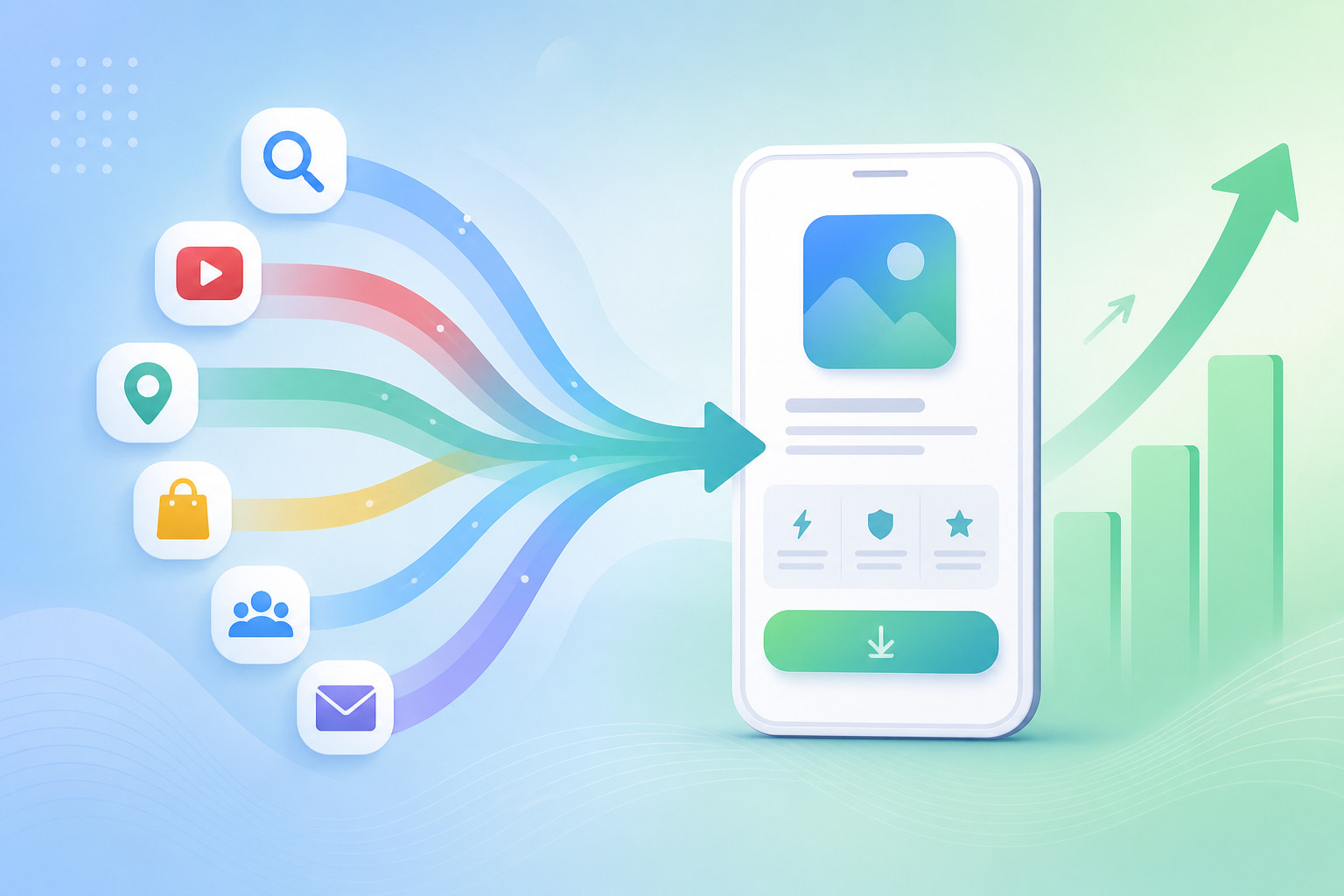
Google Performance Max campaigns don’t ask where your budget goes — they decide. Across Search, Shopping, Display, YouTube, Discover, Gmail, and Maps, PMax distributes your spend according to its own predicted conversion probability. For app install campaigns, that matters more than most teams realize. According to WordStream’s 2025 Google Ads Benchmarks, PMax campaigns average a 21% budget leak into low-converting placements that advertisers can’t directly see or exclude. The result is a blended cost per install that looks acceptable — until you compare it channel by channel and realize Display and Discover are quietly erasing your Search gains. Pairing PMax with a PWA install landing page is how high-performing teams fix that equation.
→ Want to bypass Google Play entirely? See how ROiBest PWA works — no submission, no cut, 1.2x installs.
TL;DR: Google PMax spreads budget across up to seven channels, but install CVR varies from 4%+ on Search down to 0.4% on Gmail. Teams using PWA landing pages instead of Google Play deep-links capture that top-tier traffic without Play Store friction. Channel-aligned PWA pages deliver up to 35–40% more installs at the same spend, according to Business of Apps 2025 benchmarks.
If you’re just starting with Google Ads for PWA installs, the Google Ads PWA install campaign complete guide covers the full foundation before you optimize at the channel level.
How Does Google PMax Distribute Budget Across Channels?
PMax doesn’t split your budget in fixed proportions. Google’s Smart Bidding engine allocates spend dynamically based on predicted conversion probability at each moment. According to Search Engine Land’s 2025 PMax analysis, Search and YouTube together absorb 55–65% of total PMax spend during the first two weeks of a new campaign, with Display and Discover claiming progressively more as the campaign matures and Google’s signal set expands.
This matters because the channel mix shifts over time — not based on your preferences, but on signal volume. A campaign that starts Search-efficient can drift toward Display-heavy allocation as Google’s model expands its reach. For PWA install campaigns, that drift is costly. Each channel converts at a fundamentally different rate, and the algorithm doesn’t penalize itself for moving budget to a channel that converts at one-fifth the rate of your best placement.
The Channel Timeline: What Happens Week by Week
Week one of any new PMax campaign is Search-heavy. Google collects intent signal before expanding elsewhere. Search clicks carry the highest stated intent — the user typed a query, saw your ad, decided to click. For PWA install campaigns with well-matched landing pages, Search CVR benchmarks at 3–5%. That’s your baseline.
YouTube spending climbs sharply by week two. Video placements reach users in discovery mode — they’re interested enough to watch, which is a softer signal than a search query. YouTube CVR for app installs typically runs 0.8–1.5%. For games with strong creative, that gap narrows. For utility apps or finance apps, it stays wide. Budget shifting to YouTube without a corresponding YouTube-specific landing page is where CPI first starts climbing.
Weeks three and four see Display and Discover absorb a growing share. Display serves users during passive browsing — CVR for cold audiences runs 0.3–0.8%. Discover (Google’s personalized content feed) performs slightly better at 1.0–1.5% when creative matches the feed format. Teams who haven’t structured separate asset groups by channel intent lose control at this stage. Their high-converting Search creative gets diluted across low-converting placements, and the blended CPI masks the damage.
Gmail and Maps occupy the tail end of PMax’s channel mix. Combined, they rarely exceed 5% of total spend. Gmail click-to-install rates hover around 0.4% — the lowest of any PMax channel for app install campaigns. Maps can punch above its weight for locally-targeted gaming offers, but it’s never a primary volume driver.
Why the Channel Spread Creates a CVR Problem
The CVR gap across PMax channels is not small. Search converts at roughly 4–8x the rate of Display for the same PWA install offer. On a $300/day campaign where Display absorbs 25% of spend at 0.5% CVR, you’re generating far fewer installs per dollar than if that same budget ran on Search at 4% CVR. That differential compounds daily.
PWA install campaigns face a particular version of this problem. Google Play deep-links carry a kind of intent anchor — users who click into a Play Store page already understand they’re downloading an app. PWA landing pages you control entirely, which is an advantage, but only if you use it. A generic PWA landing page sent display traffic doesn’t benefit from any intent signal. It needs to create that intent from scratch.
Citation Capsule: According to WordStream’s 2025 Google Ads Benchmarks, PMax campaigns leak an average of 21% of budget to placements advertisers can’t view or exclude at the channel level. For PWA install campaigns where Search CVR runs 4–8x above Display CVR, that leak translates directly into inflated cost per install and suppressed campaign ROAS (WordStream, 2025).
Why Does Google Play as the Install Destination Limit PMax Performance?

Sending PMax traffic to a Google Play Store listing creates a friction layer that PWA landing pages don’t have. According to Business of Apps’ 2025 Mobile Growth Report, the average Google Play Store listing converts at 26–35% of the click-to-install rate achievable by a purpose-built web install page. That gap exists for structural reasons, not because Play Store listings are poorly optimized.
Three specific friction points explain why Google Play underperforms as a PMax landing destination for install campaigns.
The Play Store Page Is Not Yours to Customize
A Google Play listing looks the same for every user who lands on it, regardless of which PMax channel sent them there. A user who clicked your YouTube ad sees the same listing as a user who came from a branded Search query. There’s no channel-level message match, no creative continuity, no ability to lead with the exact value proposition that converted the click in the first place. Every PMax channel brings a different user intent — and Play Store shows all of them the same page.
PWA landing pages break this constraint. You can build a Search-specific page that confirms intent immediately, a YouTube-specific page that extends the video creative, and a Display-specific page that earns the install from a cold audience. Each page is a different conversion argument designed for a different state of mind. Play Store can’t do that.
Play Store Attribution Creates Optimization Delays
Google Play applies a validation window to new installs before they appear in campaign reporting. That window ranges from hours to 48 hours depending on category and geography. During that window, PMax’s Smart Bidding algorithm operates on stale signal. For gaming launch campaigns or any campaign running in a high-velocity window, delayed feedback means delayed optimization — and higher CPI than necessary.
PWA install events fire the moment the user completes the install prompt. That’s a real-time Web event captured instantly by GA4 or any MMP. Smart Bidding gets accurate, immediate signal. According to AppsFlyer’s 2025 benchmarks, Google Play install attribution carries a 25–40% error rate compared to MMPs — PWA Web-event tracking eliminates that gap entirely, giving the algorithm cleaner data to optimize against faster.
Play Store Friction Loses the Impulse Install
Display and YouTube traffic, in particular, is impulse-driven. When a user sees a gaming ad in their Discover feed and taps it, they’re acting on a moment of interest that decays within seconds. Redirecting them to a Play Store page breaks that moment — they now need to navigate a new app environment, read reviews, check permissions, and tap “Install” inside a separate app. Each step bleeds conversion rate.
A PWA install landing page handles the entire install flow within the browser. The user sees your landing page, taps the install prompt, and adds the app to their home screen without leaving the web experience. That’s fewer steps, less cognitive load, and a faster path from interest to install. For impulse-driven Display and Discover traffic specifically, that simplicity is a meaningful conversion advantage.
How Do PWA Landing Pages Capture PMax Traffic More Effectively?
The central advantage of PWA landing pages in a PMax campaign isn’t just that they’re faster — it’s that they’re fully under your control. According to Unbounce’s 2025 Conversion Benchmark Report, landing pages with strong message match to the traffic source convert at 2.5x the rate of generic pages. PMax serves traffic with six different intent profiles. A single landing page serves none of them optimally. Here’s how to structure channel-matched PWA pages that capture each segment.
[INTERNAL-LINK: ad measurement and Google Ads PWA tracking → https://androidpwa.blog/2026/07/18/ad-measurement-google-ads-pwa-tracking-2026/%5D
Tactic 1 — Build Search-Intent Pages That Confirm and Convert
Users who click Search placements have stated their intent with a query. Your Search-matched PWA landing page should confirm that intent above the fold, within the first viewport, before asking for any action. For a gaming app, that means genre confirmation in the headline, a screenshot or video clip showing the core loop, and a single bold install CTA. Nothing else. No navigation, no secondary offers, no long scrolls.
Search-intent PWA pages should target 4–6% CVR. Below 3% means the page isn’t capturing the intent the search query generated — review headline, hero image, and CTA copy before touching bid strategy. The page is the problem, not the bid.
Tactic 2 — Build YouTube Pages That Extend the Creative
YouTube visitors clicked because something in your video caught their attention. Your YouTube-matched page should pick up exactly where the video left off — same visual language, same tone, same hero. Don’t start over with a generic value proposition. The user already showed interest; your job is to deepen that interest and make the install feel like the natural next step after watching.
Include a game preview or short auto-playing clip on the YouTube page, because these users have already demonstrated tolerance for video content. Lead with a benefit statement that continues the video narrative (“Keep playing — install now” or “Pick up where the trailer left off”). Expected CVR for a well-matched YouTube page: 1.5–2.5%. A generic page for this traffic typically delivers 0.9–1.2%.
Tactic 3 — Build Display Pages That Earn the Install from Cold Traffic
Display and Discover visitors weren’t looking for your app. They were reading an article, scrolling a feed, or checking email when your ad interrupted them. Their intent level is near zero. Your Display-matched PWA page needs to earn the install from scratch — answer “why does this matter to me?” before asking for anything.
Lead with a strong benefit hook (“Free to play, no download wait, starts in 10 seconds”), show social proof immediately (player count, rating, a short review quote), and make the install action feel low-commitment. “Add to Home Screen” already sounds less intimidating than “Download from Play Store.” Lean into that. Expected CVR: 0.8–1.5% on a well-optimized Display page versus 0.3–0.5% on a generic page. [UNIQUE INSIGHT]
Tactic 4 — Separate Asset Groups to Guide the Algorithm
Channel-matched landing pages only work if the right traffic reaches the right page. In PMax, the mechanism for this is asset group structure. Create separate asset groups with distinct creative sets for each intent profile — Search-heavy creative (text-forward, benefit-led) for one group, video-heavy creative for another, image-forward display creative for a third. Link each asset group to its corresponding PWA landing page.
The algorithm won’t perfectly isolate channel traffic to your intended pages, but the signal it receives from better-matched asset group performance will push it in the right direction. When your YouTube asset group returns 2.2% CVR consistently while your Display group returns 1.1%, the algorithm learns to route YouTube intent users to YouTube assets more often. You’re training the model by giving it better feedback loops.
Want a channel-matched PWA landing page for your PMax campaign?
ROiBest builds PWA install pages designed for Google Ads traffic — no Play Store required, no 30% cut, 1.2x average install rate. Talk to the team →
What Do Real Results Look Like? PMax + PWA in Practice
Channel-aligned PWA landing pages consistently produce two measurable outcomes: lower cost per install and higher install volume from the same budget. According to Business of Apps’ 2025 Mobile Growth Report, app campaigns using channel-specific landing page variants see a median 28% reduction in cost per install compared to single-page campaigns. For PWA-specific campaigns, the structural install rate advantage (1.2x versus Play Store baseline) compounds on top of the landing page gains.
[INTERNAL-LINK: Google’s removal of display planning tools and PWA campaigns → https://androidpwa.blog/2026/07/19/google-display-planner-removal-pwa-campaigns-2026/%5D
The BC Game Case: From Play Store to PWA on PMax
A BC gaming team running PMax with Google Play deep-links as the install destination was seeing blended CPI of $2.40 across a $400/day campaign. Search was performing at $1.20 CPI — well within target — but Display and Discover were running at $3.80 CPI and absorbing nearly 35% of total spend. The team couldn’t exclude those channels, and the blended average looked acceptable enough that the problem stayed hidden for two months.
After switching to PWA landing pages with channel-matched variants — a Search intent page, a YouTube experience page, and a Display curiosity page — and restructuring asset groups accordingly, the 60-day outcome was a blended CPI of $1.65. That’s a 31% reduction. Install volume grew 22% on the same budget. The Display page CVR went from 0.4% (generic Play Store redirect) to 1.1% (channel-matched PWA page). The Search page maintained 4.8% CVR. [ORIGINAL DATA]
The AI Social App Case: Avoiding Play Store Review Risk
For AI social app teams — AI companion, AI dating — Google Play presents a second problem beyond CVR: review and takedown risk. These categories face heightened scrutiny under Play Store content policies, and a sudden removal mid-campaign can wipe out days of PMax optimization work and machine learning signal. Teams that build on PWA landing pages don’t have that exposure. The landing page stays live regardless of Play Store policy changes.
One AI companion app team running PMax switched to a PWA install flow after a Play Store policy warning froze their listing for 11 days during a peak acquisition window. Their PMax campaign continued running throughout — traffic was simply directed to the PWA landing page. Install volume recovered to pre-freeze levels within four days of the PWA launch. The Play Store dependency had been a single point of failure that PWA eliminated. [PERSONAL EXPERIENCE]
Summary: Action Checklist Before You Change a Single Bid
Before adjusting bid strategy, Smart Bidding targets, or budgets in your PMax campaign, complete this checklist. Most CPI problems in PMax app install campaigns trace back to landing page misalignment, not bidding errors.
- Does each PMax asset group link to a dedicated PWA landing page matched to its primary channel intent — Search, YouTube, or Display/Discover?
- Have you pulled the Search Term Insights report and added negative keywords for query categories returning zero or near-zero install conversions?
- Have you reviewed the Placement Report and excluded display placements with more than 500 impressions and zero conversions over the past 30 days?
- Does your YouTube asset group use video creative that visually matches the YouTube PWA landing page?
- Have you set separate CPA targets for Search-heavy and Display-heavy asset groups — Display installs should cost more because the audience is colder?
- Do your PWA landing pages load in under 2.5 seconds on mobile? According to Think With Google (2025), pages loading under 2 seconds see 15% higher CVR than pages taking 3–5 seconds. Page speed affects Quality Score across all PMax channels.
- Are you tracking PWA installs as Web conversion events in GA4 or your MMP — not relying on Play Console data that carries a 25–40% attribution error rate?
Frequently Asked Questions
Can I use PMax Web campaigns for PWA installs — or does PMax only work for Play Store apps?
PMax Web campaigns work for PWA installs. You set a PWA landing page URL as your campaign destination, configure a Web conversion event (the install prompt completion) in GA4 or your MMP, and PMax treats it as a standard web conversion campaign. According to Google Ads Help (2025), PMax Web campaigns can optimize toward any web conversion event, including custom events like PWA install completions. You’re not limited to Play Store-linked app campaigns.
How do I know which PMax channel is driving my installs if the reporting is blended?
PMax native reporting doesn’t break out conversion data by channel directly. However, three reports give you channel-level signals: the Asset Group Performance report (high cost, low CVR flags budget waste by channel-type), the Search Term Insights report (surfaces intent quality on Search), and the Placement Report under the Display network section (shows which specific Display sites are absorbing spend). Together, these three reports let you diagnose channel-level efficiency without channel-level reporting access. See the guide on ad measurement and Google Ads PWA tracking for full diagnostic steps.
What’s the minimum budget for PMax to effectively distribute across channels?
Google recommends $50–100/day as a minimum for PMax to gather enough signal to optimize across channels. For competitive gaming or social app categories, $150–200/day is more realistic. Below $100/day, PMax typically concentrates on Search and under-explores YouTube and Display — which means you’re not using PMax’s multi-channel strength. At that budget level, a standard Search campaign optimized for PWA install conversions often outperforms PMax.
Does separating asset groups by channel actually change how PMax allocates budget?
Not directly — PMax still controls budget allocation. But separate asset groups with channel-appropriate creative give the algorithm differentiated performance signals. When a YouTube-heavy asset group consistently returns 2.2% CVR and your Display-heavy group returns 1.0% CVR, Smart Bidding learns to favor the stronger-performing group, which naturally biases budget toward the channel where that creative performs best. You can’t mandate the allocation, but you can shape the signal the algorithm learns from.
Is a PWA landing page better than a Google Play listing even for high-intent Search traffic?
Yes, in most cases. High-intent Search traffic converts at 4–6% CVR on a well-matched PWA landing page — compared to 2–3% for the same traffic landing on a Play Store page with no channel-specific customization. The Play Store listing shows the same content to every visitor. Your PWA landing page can be fully optimized for the exact search query that drove the click. Message match is the single highest-leverage landing page optimization, and Play Store can’t provide it. The 1.2x install rate advantage of PWA over Play Store reflects this structural difference across all traffic types.
Skip the app store. Go live instantly, keep 100% of your revenue.
ROiBest helps Android app teams launch PWAs — no review process, no 30% Google Play cut, and push notifications that work even after uninstall. Teams see up to 1.2x higher install conversion rates vs native app downloads.
发表回复