

Most Google Ads teams running PWA install campaigns make the same mistake: they treat every install as equal. They set up a conversion action, confirm the pixel fires, and assume the algorithm will figure out the rest. It won’t — because without properly assigned conversion values, Smart Bidding has no signal to distinguish a high-intent user from a window-shopper. The result is wasted budget, inflated CPIs, and a ROAS that never reaches its potential.
Conversion value configuration is the single most impactful lever available to Google Ads buyers running PWA install campaigns in 2026. This guide walks through the strategic setup process — from selecting the right value model for your business type to avoiding the configuration errors that silently erode campaign performance. Whether you’re running UAC-style installs through Performance Max or building toward an always-on PWA acquisition funnel, getting conversion values right is where ROAS improvement actually starts.
→ Want to bypass Google Play entirely? See how ROiBest PWA works — no submission, no cut, 1.2x installs.
Why Conversion Value Matters for PWA Install Campaigns
PWA installs are not native app installs, and Google Ads does not treat them identically. When a user installs a native Android app via Google Play, the ecosystem generates a rich trail of post-install signals — in-app purchases, session depth, retention metrics — that flow back into Smart Bidding through the Google Play SDK. PWAs have a fundamentally different distribution path: they install directly from the browser, outside the Play Store infrastructure.
This means your conversion value configuration has to do heavier lifting. Without explicit value signals, Smart Bidding defaults to optimizing for raw install volume — which sounds fine until you realize the algorithm will happily flood your campaign with low-quality installs from audiences unlikely to ever transact. Volume goes up; revenue stays flat.
Google’s own data, cited in their Performance Max playbook, shows that campaigns using conversion value rules generate on average 14% higher conversion value at the same spend compared to campaigns using conversion count alone. For PWA campaigns where the install-to-activation funnel is steeper than native apps, that gap compounds quickly.
The deeper issue is how Smart Bidding interprets value signals for tROAS and tCPA campaigns. When you configure conversion values accurately — and weight them against the actual downstream revenue you see from each user segment — you are effectively teaching the algorithm what a good install looks like. The more granular and accurate your value signals, the better Smart Bidding can narrow targeting toward high-LTV cohorts, and the less you pay per meaningful conversion.
PWA campaigns also have a structural advantage here that native app campaigns don’t: because the install and the subsequent web session happen in the same browser environment, first-party conversion data can be passed directly to Google Ads via enhanced conversions without relying on any SDK. This makes accurate value configuration both easier to implement and more powerful in practice — but only if you’ve thought through the value strategy first.
For teams using Google Ads PWA install campaign guide best practices, conversion value setup is the natural next step after campaign structure is confirmed.
Setting Up Conversion Value: Step-by-Step

The following steps are framed at the business and configuration level — not the code level. ROiBest handles the PWA technical infrastructure; your job as the buyer or campaign manager is to configure the right value inputs in Google Ads and connect them to the business outcomes that matter.
Step 1: Map Your Post-Install Value Events
Before touching Google Ads, sit down with your product and monetization teams and build a value map of what happens after a user installs your PWA. The install itself is rarely the most valuable moment — it’s the gateway. What you actually care about is what happens in the 7-30 days after install.
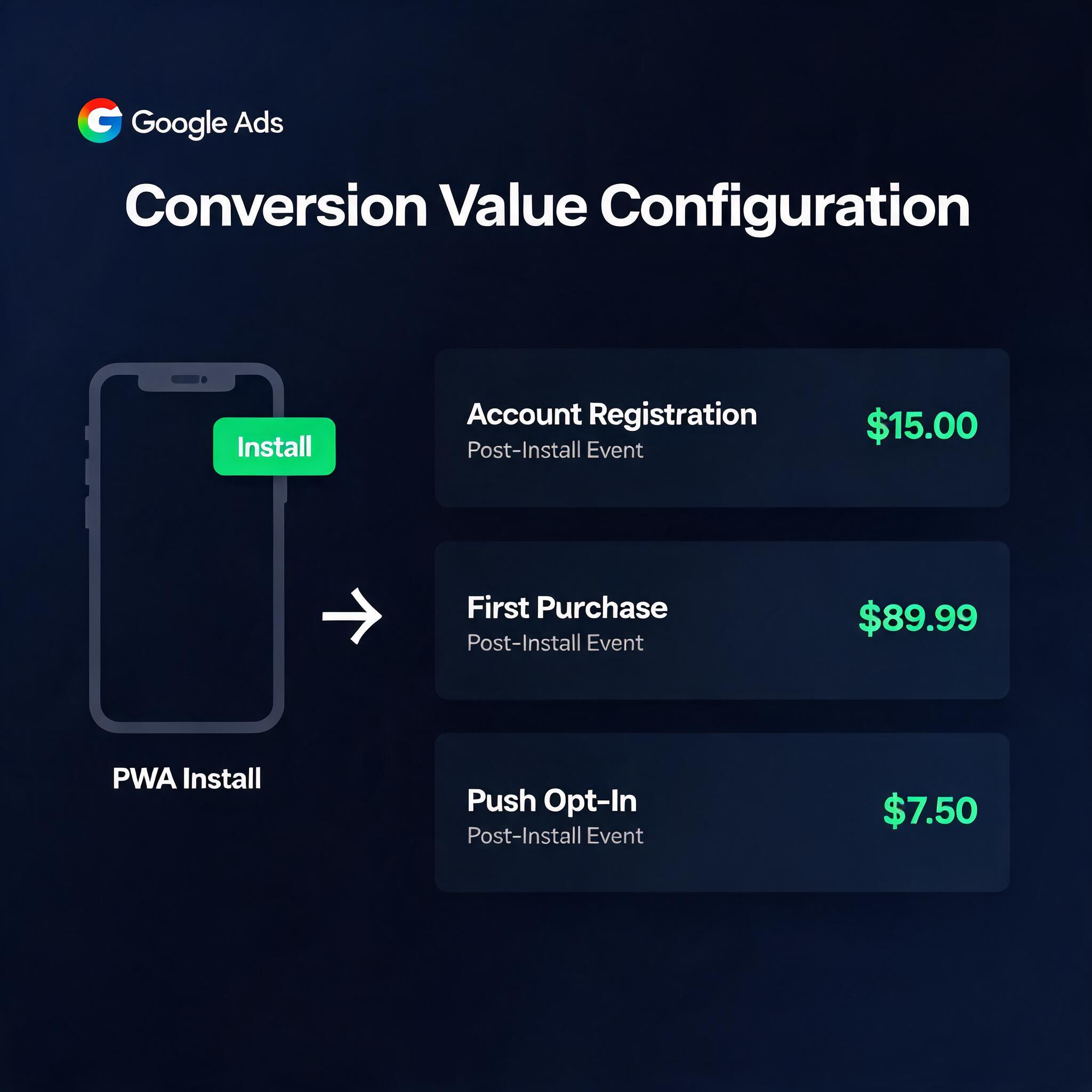
For each downstream event — account registration, first deposit, first purchase, subscription activation, push notification opt-in — assign a provisional monetary value. This doesn’t have to be exact on day one. Use the best available proxy: average order value for eCommerce, average lead quality score × close rate × average deal size for Lead Gen, estimated 30-day ARPU for gaming. The goal is to give Smart Bidding a ranked signal, not a certified accounting figure.
Document this map. It becomes the basis for your conversion action configuration and your value rules.
Step 2: Configure Conversion Actions with Value in Google Ads
In Google Ads, navigate to Tools → Measurement → Conversions. For each post-install value event you identified, create a dedicated conversion action. Do not aggregate everything into a single “install” conversion — that erases the value differentiation you just spent time building.
For each conversion action, set a static default value based on your value map. Enable “value-based bidding” mode if you’re running tROAS. Set the conversion window to match your actual sales cycle — a 30-day window is appropriate for most Lead Gen scenarios; a 7-day window works for impulse-purchase eCommerce funnels. If you’re passing dynamic values per transaction (variable purchase amounts, for instance), configure the conversion action to accept variable values and ensure ROiBest’s PWA tracking layer is set up to pass the correct parameter on each event fire.
Mark your highest-value conversion action as “primary” for bidding purposes. Lower-value micro-conversions (like push opt-in or account creation) should generally be marked as “secondary” so they inform reporting without distorting Smart Bidding optimization.
Step 3: Apply Conversion Value Rules by Audience Segment
Conversion value rules (available in Google Ads under the conversion settings) allow you to multiply or adjust the value assigned to a conversion based on who the user is — device type, location, or audience membership.
This is where PWA campaigns gain a structural advantage. Because PWA installs happen in-browser, you typically have richer first-party data on your converting users than you would from a cold Play Store download. Use this data to build audience segments (high-intent site visitors, lookalike audiences based on past purchasers, geography-based segments tied to market profitability) and apply positive value multipliers to those segments in your conversion value rules.
A practical example: if users from Tier 1 English-speaking markets convert at 2.4x the value of users from Tier 3 markets, set a 2.4 multiplier on those geo-based audience segments. Smart Bidding will then self-select toward Tier 1 traffic — not because you restricted targeting, but because the algorithm correctly understands that traffic is worth paying more to acquire.
Step 4: Validate with Data-Driven Attribution
Switch your attribution model to Data-Driven Attribution (DDA) as soon as your campaign has sufficient conversion volume (Google requires ~50 conversions per month at minimum). DDA distributes conversion credit across the actual touchpoints in the path that led to an install and downstream conversion — rather than crediting the last click alone.
For PWA campaigns running across multiple ad formats (Search, Display, YouTube, Demand Gen), DDA often reveals that upper-funnel touchpoints are contributing more to final install conversions than last-click models suggest. This recalibration improves Smart Bidding quality significantly, and it works especially well when conversion values are properly assigned because the algorithm can weight both the path and the outcome value simultaneously.
As you scale, reference benchmarks from PMax Android PWA cost per install analysis to calibrate whether your value configuration is producing the CPI and ROAS outcomes you should expect at your current spend level.
Best Practices by Scenario: Lead Gen, eCommerce, and Gaming
Conversion value strategy is not one-size-fits-all. The same Google Ads interface looks very different depending on whether you’re running a financial services lead gen funnel, a direct-to-consumer eCommerce app, or a casual gaming PWA. Here’s how the configuration priorities shift across these three scenarios.
Lead Gen
In Lead Gen — financial products, insurance, SaaS tools, professional services — the install is almost never the monetization point. A user who installs your PWA and submits a loan inquiry or schedules a consultation is worth dramatically more than one who installs and bounces.
The right conversion value hierarchy for Lead Gen PWA campaigns typically looks like this: push notification opt-in (low value, marks intent), account registration (medium value, confirms engagement), qualified lead submission (high value, directly monetizable), booked consultation or MQL handoff (highest value, closest to revenue). Assign values that reflect your actual cost-per-close and average deal size. If your sales team closes 12% of MQLs at an average deal value of $400, an MQL is worth $48 in upstream Google Ads terms — use that as your primary conversion value.
For Lead Gen, longer conversion windows (30-60 days) are essential because the sales cycle is extended. Configure this in each conversion action’s settings, and ensure your post-install event tracking is persistent enough to capture late-converting users.
eCommerce
eCommerce PWA campaigns are the most naturally suited to conversion value optimization because transaction amounts are explicit and variable. Pass dynamic purchase values for every order — not a static default. This gives Smart Bidding live revenue data to optimize against, and it produces the best tROAS results.
For eCommerce, the install-to-first-purchase rate is your key diagnostic metric. If fewer than 8-12% of installs make a first purchase within 7 days, your post-install experience has a retention problem that no bidding configuration will fix. Address the product experience first. Once first-purchase rates are healthy, layering in LTV-based value rules (multipliers for users who have purchased before, users in high-AOV categories) compounds ROAS improvement over time.
Seasonality matters here too. Use conversion value seasonality adjustments in Google Ads during peak periods (sales events, holiday seasons) to prevent Smart Bidding from over-dampening bids when you know demand is temporarily elevated.
Gaming
Gaming PWA campaigns have the most complex conversion value structure because in-app purchase behavior is highly skewed: a small percentage of “whale” users typically generate the majority of revenue. Optimizing for average ARPU will misalign your campaign toward mid-tier users and underweight the whale acquisition that drives actual business outcomes.
The solution is to use predictive LTV signals as conversion values. If your data team can produce a 7-day predicted LTV score for new installs (based on early engagement signals like session depth, level completions, or ad engagement), pass that predicted LTV as the conversion value for a “post-install engagement” event that fires 7 days after install. This gives Smart Bidding a forward-looking value signal rather than a lagging revenue signal — and produces significantly better targeting toward high-LTV cohorts.
Campaigns with this configuration running against a tROAS target and a well-structured Performance Max asset group typically see 20-35% ROAS improvement over campaigns using static install-count optimization, based on industry benchmarks across gaming verticals.
Planning your budget sequencing around this LTV learning curve is critical. See the PMax budget timeline for PWA campaigns for how to structure spend ramp-ups that allow Smart Bidding sufficient time to learn before budget is increased.
Common Mistakes and How to Avoid Them
Mistake 1: Using a Single “Install” Conversion Action for Everything
This is the most common and most costly error. Mapping all post-install behavior to a single conversion action collapses the value signal into a binary yes/no — the worst possible input for Smart Bidding. Break out every meaningful post-install event into its own conversion action with its own value, then organize them into primary (bidding) and secondary (reporting) roles.
Mistake 2: Setting Default Values That Don’t Reflect Real Business Economics
Many teams set conversion values arbitrarily (often $1 per install as a placeholder) and then never revisit them. If your conversion values don’t reflect actual downstream revenue, Smart Bidding optimizes for the wrong outcome. Audit your conversion values quarterly against actual cohort revenue data. Even rough alignment with real economics dramatically outperforms arbitrary placeholders.
Mistake 3: Mismatched Conversion Windows
Setting a 7-day conversion window for a product with a 30-day sales cycle means Smart Bidding never sees the conversions that matter most. Match your conversion window to the actual time-to-convert for your highest-value conversion action. When in doubt, use the Google Ads path length report to see how many days typically elapse between first ad interaction and final conversion.
Mistake 4: Ignoring the PWA-Native Tracking Difference
Teams migrating from native app campaigns often try to replicate their Firebase/App Events setup for PWA campaigns. This creates gaps: PWA installs don’t flow through Firebase by default, and SDK-based event tracking built for native apps won’t fire correctly in a browser-based PWA environment. The correct approach is to use Google Ads enhanced conversions with first-party data from your PWA session — which ROiBest’s platform is built to support out of the box, so your tracking layer is clean and your conversion data is accurate without any bespoke engineering work.
Mistake 5: Not Using Value Rules for Geographic or Audience Differentiation
If you’re running global or multi-market campaigns, not applying geo-based value rules means Smart Bidding allocates budget without understanding that a user in one market is worth 3x a user in another. This leads to market-level ROAS imbalances that are easy to fix once you’ve built the value rule configuration — but impossible to diagnose if you haven’t looked for them.
Summary: Conversion Value Action Plan
Getting conversion value right for PWA install campaigns is not a one-time configuration task — it’s an ongoing discipline. Here’s the action plan distilled to its essentials:
- Map post-install events to monetary values using your actual business economics — close rates, average order values, ARPU estimates. Don’t use placeholders.
- Create separate conversion actions for each meaningful post-install event. Never collapse everything into a single install conversion.
- Apply conversion value rules for audience segments, geographies, and device types where you have evidence of differentiated LTV. Let Smart Bidding self-select toward high-value users.
- Set conversion windows that match your real sales cycle — not Google’s default 30-day window if your business converts in 7 days, and not 7 days if your cycle is 60.
- Switch to Data-Driven Attribution once you hit minimum volume thresholds. DDA consistently outperforms last-click for multi-touchpoint PWA install funnels.
- Audit quarterly. As your PWA campaign matures and your cohort LTV data improves, revisit conversion values and rules to keep them aligned with current business performance.
- Leverage ROiBest’s tracking infrastructure to ensure your PWA’s post-install events fire cleanly and pass to Google Ads without the SDK dependencies that break in browser-based environments. The cleaner your conversion data, the faster Smart Bidding learns.
The teams seeing 1.5-2x ROAS improvement from PWA campaigns versus their previous native app campaigns aren’t running fundamentally different ad creative or targeting strategies. They’ve done the unsexy work of building accurate conversion value infrastructure — and then let Smart Bidding do what it does best: find more users who look like the people who converted at high value.
PWA distribution, when paired with precise conversion value configuration, is one of the most efficient acquisition channels available to Android app teams in 2026. The install path is frictionless, the tracking is first-party and browser-native, and the Google Ads optimization signal chain is short and clean. Set it up correctly, and the returns compound.
Skip the app store. Go live instantly, keep 100% of your revenue.
ROiBest helps Android app teams launch PWAs — no review process, no 30% Google Play cut, and push notifications that work even after uninstall. Teams see up to 1.2x higher install conversion rates vs native app downloads.
发表回复