

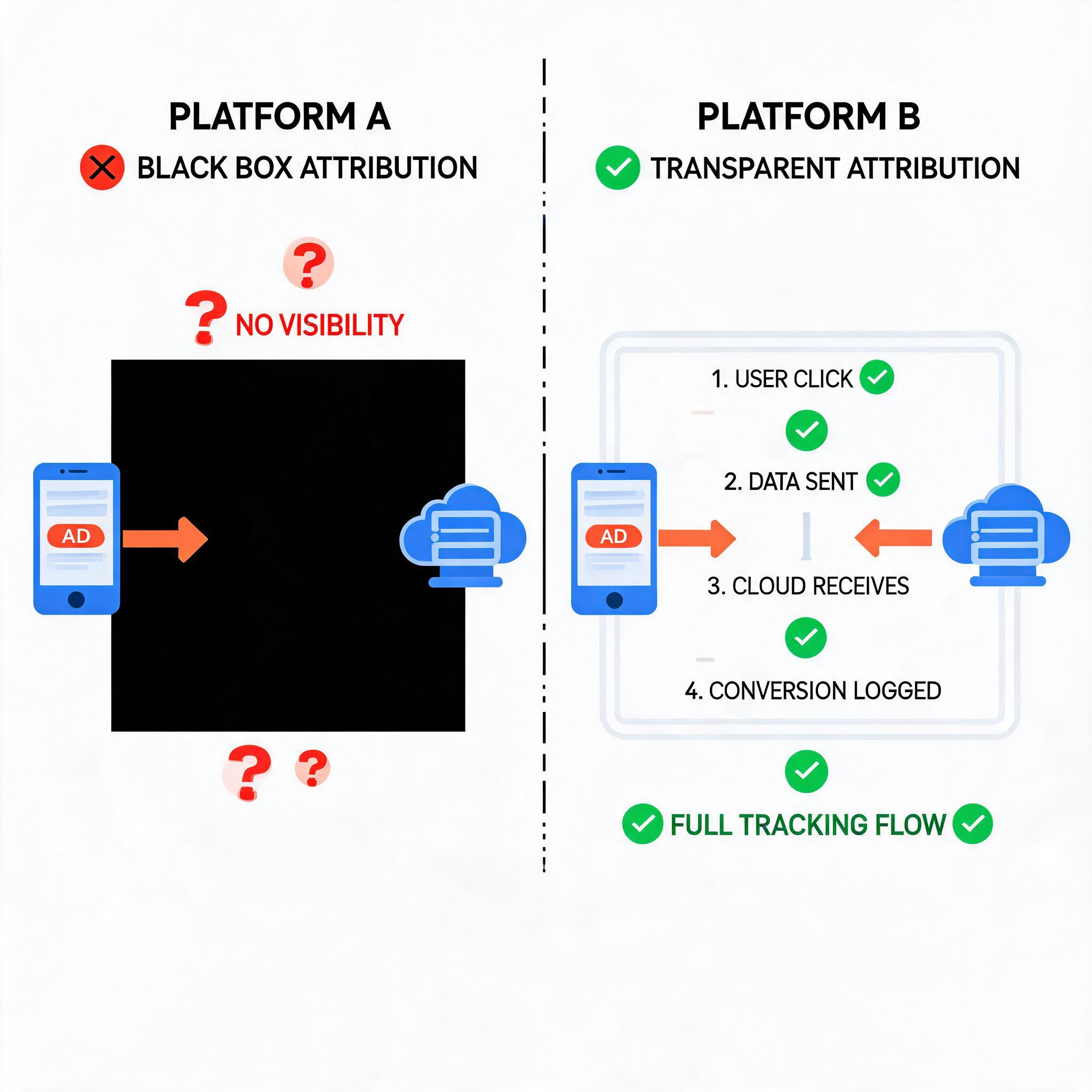
Meta just split its attribution model into Click-through and Engage-through windows, fundamentally changing how conversions are counted. For app advertisers already frustrated with Meta’s attribution opacity, this is the push to shift budget toward Google Ads — especially if you’re distributing through PWA where tracking transparency is a built-in advantage.
→ Want to bypass Google Play entirely? See how ROiBest PWA works — no submission, no cut, 1.2x installs.
What Changed: Meta’s Click-Through vs Engage-Through Attribution Split
In early 2026, Meta introduced a formal distinction between two attribution types. Click-through attribution credits a conversion when a user clicks an ad and converts within the attribution window (typically 7 days). Engage-through attribution credits conversions from users who interacted with an ad (liked, commented, shared, watched video) but didn’t click — and later converted organically.
The problem for performance advertisers is that Engage-through conversions inflate campaign metrics without proving direct causation. A user who watched 3 seconds of your video ad and then installed your app 5 days later via organic search gets attributed to your Meta campaign — even though Meta’s role in that conversion is debatable.
For BC game and AI social app teams spending $50K–$500K monthly on Meta, this attribution ambiguity means you can’t accurately calculate true CPA or ROAS. Your reported numbers might show $8 CPA when your actual direct-response CPA is $15. Budget decisions based on inflated attribution lead to overspending on channels that aren’t performing as well as they appear.
This isn’t a new concern, but the formal split makes it urgent. Meta now reports these numbers separately, which means teams can finally see how much of their “performance” is actually engage-through attribution — and many are discovering it’s 30–50% of total reported conversions.
Why Google Ads + PWA Offers Better Attribution Clarity

Google Ads’ attribution model for app campaigns has its own complexities, but two structural advantages make it fundamentally more transparent for PWA distribution:
Advantage 1: GCLID-based deterministic tracking. When a user clicks a Google ad and lands on your PWA landing page, the Google Click ID (GCLID) creates a deterministic link between the click and all subsequent conversion events. There’s no probabilistic modeling or view-through inflation. If the user converts, you know exactly which click drove it.
Advantage 2: Server-side conversion verification. PWA campaigns allow you to send conversion data from your server directly to Google Ads via the Measurement Protocol. This bypasses iOS/browser privacy restrictions that plague Meta’s Conversions API and provides a clean, auditable conversion trail. For teams running Google Ads PWA install campaigns, this server-side approach eliminates the “trust us” black box that Meta’s attribution model relies on.
Advantage 3: No engage-through dilution. Google App campaigns (UAC/PMAX) credit conversions based on click-through attribution by default. There’s no equivalent of Meta’s engage-through window inflating your numbers. What you see in your conversion column is what actually happened through direct user action on your ads.
The combined effect is significant. Teams that have migrated PWA campaigns from Meta to Google Ads consistently report that their “real” CPA is 15–25% lower on Google — not because Google is inherently cheaper, but because Google’s attribution doesn’t count phantom conversions.
3 Steps to Migrate PWA Campaigns from Meta to Google Ads
Step 1: Audit Your Meta Attribution Mix
Before shifting budget, quantify exactly how much of your current Meta performance is click-through vs engage-through. Go to Meta Ads Manager, break down your campaigns by attribution setting, and calculate what percentage of conversions come from each window.
If more than 30% of your reported conversions are engage-through, your true direct-response CPA is significantly higher than what Meta shows. Document this gap — it’s the business case for reallocation.
Also check your conversion lift studies if you’ve run them. Compare the lift-measured incrementality against your attribution-reported conversions. The gap between these numbers tells you how much of Meta’s reported value is real vs. attributed.
Step 2: Set Up Google Ads PWA Campaigns with Clean Tracking
Start with a Google App Campaign (UAC) or Performance Max campaign targeting PWA installs. The critical setup steps:
- Configure server-side conversion tracking with GCLID passback for PWA install events
- Set up tiered conversion values (install → session → signup → purchase) so Smart Bidding optimizes for revenue, not just installs
- Use Enhanced Conversions to match first-party data (email, phone) with Google’s user graph for cross-device attribution
- Implement consent mode v2 for EU markets to maintain tracking compliance while preserving signal quality
If you’ve already been running Google Ads, understanding how Consent Mode v2 interacts with PWA tracking is essential for maintaining attribution accuracy in privacy-restricted markets.
Step 3: Run a Controlled Budget Shift Test
Don’t shift 100% of budget overnight. Start with a 20% reallocation from Meta to Google Ads over 2 weeks. During this period, track three metrics independently:
- Blended CPA across both platforms (should decrease if Google attribution is more accurate)
- Incremental revenue per dollar spent on each platform (use holdout groups if possible)
- PWA install quality — compare Day 7 retention and first-purchase rates between Meta-acquired and Google-acquired users
Most teams find that Google-acquired PWA users have 10–20% better Day 7 retention than Meta-acquired users — partly because Google’s click-based attribution selects for higher-intent users by definition. The engage-through users that Meta counts as conversions are inherently lower-intent, which shows up in downstream metrics.
For teams already optimizing their PMax channel allocation, adding clean PWA conversion data makes the algorithm significantly more effective at finding high-value install opportunities.
When to Keep Meta in Your Mix
This isn’t an argument to abandon Meta entirely. Meta remains unmatched for top-of-funnel awareness, especially for AI social apps where visual creative drives discovery. The key is restructuring your approach:
- Use Meta for awareness + retargeting — video views, engagement campaigns, and lookalike audiences built from your highest-value PWA users
- Use Google Ads for conversion — PWA install campaigns with clean attribution, search campaigns for high-intent keywords, and PMAX for broad reach with deterministic tracking
- Measure across both using a platform-neutral attribution tool (Appsflyer, Adjust, or Singular) to get a unified view that doesn’t rely on either platform’s self-reported numbers
The teams winning at PWA distribution in 2026 aren’t loyal to any single platform. They’re allocating based on verified attribution — and right now, Google Ads provides cleaner signals for conversion campaigns while Meta delivers better reach for awareness.
Skip the app store. Go live instantly, keep 100% of your revenue.
ROiBest helps Android app teams launch PWAs — no review process, no 30% Google Play cut, and push notifications that work even after uninstall. Teams see up to 1.2x higher install conversion rates vs native app downloads.
发表回复