

Google Customer Match Is Changing in 2026 — Here’s What PWA Advertisers Need to Know
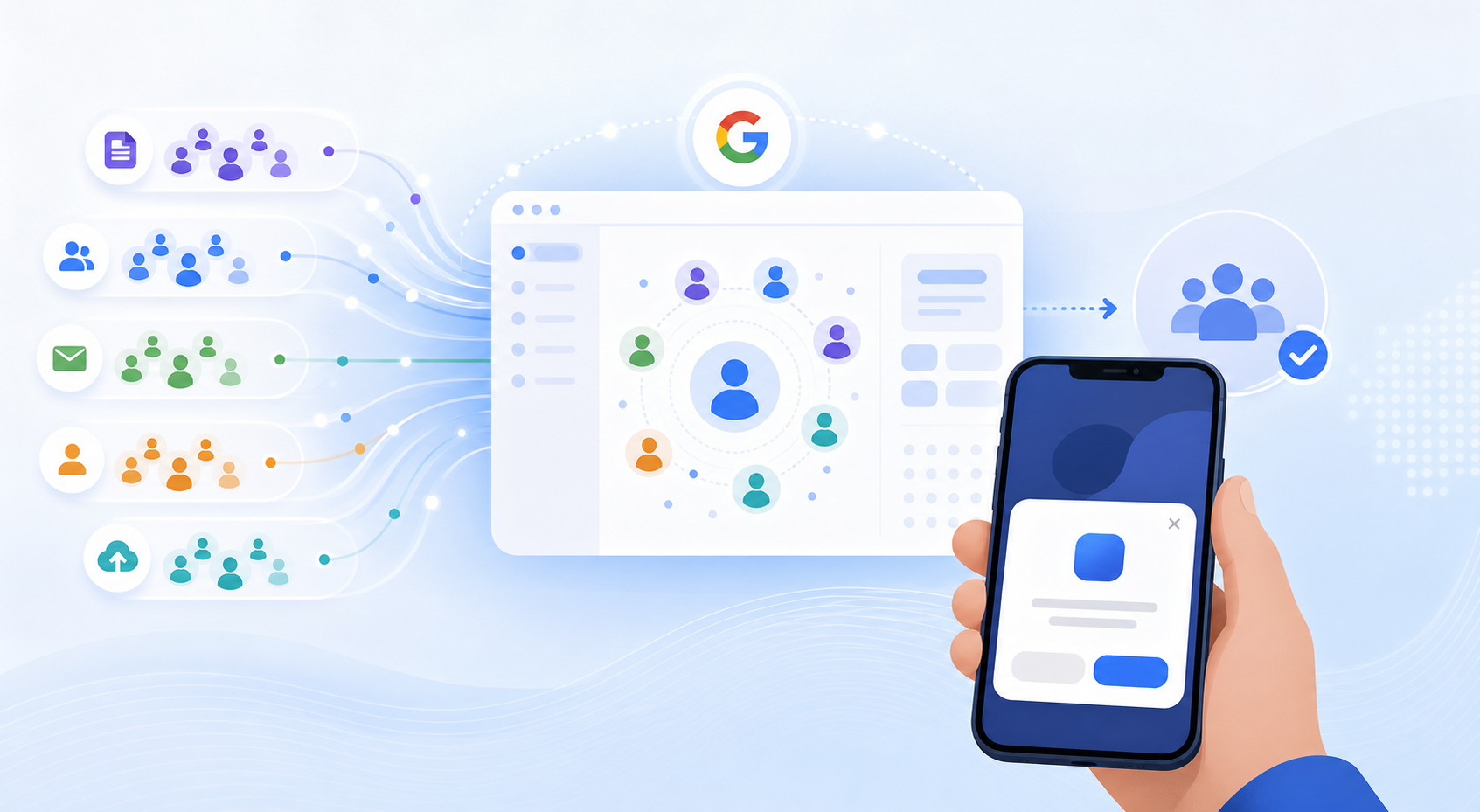
Google confirmed that Customer Match is migrating from its legacy upload API to the new Data Manager API in 2026. For advertisers running Android PWA install campaigns, this isn’t a back-end technicality — it directly affects how your first-party audiences reach users across Search, YouTube, and Display. Miss the migration window and your audience lists stop refreshing, match rates drop, and campaign performance follows.
According to Google’s own advertiser communications, Data Manager is designed to centralize how first-party data flows into Google Ads, replacing a fragmented set of upload methods that existed across Customer Match, Enhanced Conversions, and Store Sales. The shift matters most to PWA advertisers because first-party data collection is one of the key structural advantages PWAs hold over native app installs distributed through Google Play.
→ Want to bypass Google Play entirely? See how ROiBest PWA works — no submission, no cut, 1.2x installs.
TL;DR: Google’s Customer Match is moving to the Data Manager API in 2026. PWA install campaign managers must audit existing lists, reconnect data sources, validate match rates, and update campaign targeting — or risk audience gaps mid-flight. Google reports that advertisers using Customer Match see up to 20% more conversions on average (Google, 2024).
[INTERNAL-LINK: Google Ads PWA install campaign guide → https://androidpwa.blog/google-ads-pwa-install-campaign-guide/%5D
What Is Google Customer Match Data Manager and Why Does It Matter?

Google’s Data Manager replaces the old Customer Match CSV upload workflow with a structured, API-driven system. Google reports that advertisers using Customer Match see up to 20% more conversions on average (Google, 2024). The old method relied on manual list uploads or direct API calls to a Customer Match-specific endpoint. Data Manager consolidates all first-party data connections — email lists, phone numbers, CRM exports — into one governed hub inside Google Ads.
The practical difference is significant for campaign managers. Previously, you could upload a CSV directly and have the list active within hours. Under Data Manager, your data sources must be formally connected, mapped to approved schema fields, and validated before they populate audience lists. The upside is better data governance and more consistent match rates. The downside is a setup process that requires attention before the legacy endpoint is deprecated.
For PWA install campaigns specifically, this change affects re-engagement audiences most. If you’ve been uploading user emails or phone numbers collected through your PWA’s web flow — sign-up forms, push notification opt-ins, or checkout data — those upload pipelines need to be re-established through Data Manager. Campaigns that rely on these lists for ad measurement for Google Ads PWA tracking will feel the impact first if the migration lags.
[CHART: Bar chart — Customer Match conversion lift vs. non-targeted campaigns across Search/YouTube/Display — Source: Google Ads Help, 2024]
[INTERNAL-LINK: ad measurement for Google Ads PWA tracking → https://androidpwa.blog/2026/07/18/ad-measurement-google-ads-pwa-tracking-2026/%5D
Why Do Android PWA Install Campaigns Depend on First-Party Data?
First-party data is the foundation of effective PWA install campaigns — and PWAs structurally collect more of it than native apps. Research from Forrester (2023) found that 72% of marketers now rank first-party data as their most important targeting resource as third-party cookies phase out across browsers. PWAs give advertisers a direct data collection advantage because the entire user journey — from ad click to install to first session — runs through a URL, not an app store intermediary.
When a user installs a native Android app through Google Play, the data trail between ad click and in-app behavior passes through Google Play’s attribution layer, limiting what advertisers directly capture. PWAs work differently. The install event, session data, and user actions all happen on your own domain. That means email addresses collected during onboarding, phone numbers from sign-up flows, and behavioral signals from repeat visits are yours to use — including for Customer Match uploads.
This is why Customer Match is particularly valuable for PWA campaigns. You’re not relying solely on Google’s in-market signals or contextual targeting. You can upload a list of users who registered but never completed a key action, and retarget them specifically with PWA install ads across Search and YouTube. That closed loop between your PWA’s data collection and Google Ads audience targeting is what the Data Manager migration must preserve.
The stakes are real. According to eMarketer (2024), mobile app install costs on Android have risen roughly 18% year-over-year, making retargeting efficiency — which Customer Match enables — increasingly important to keep overall campaign CAC in check. Losing audience list continuity during migration could push effective CPIs back toward cold-audience rates. See the Google Ads PWA install campaign guide for baseline benchmarks to protect during this transition.
[IMAGE: Diagram showing PWA first-party data flow from web sign-up to Customer Match audience list to Google Ads campaign — search terms: data flow diagram marketing funnel]
[INTERNAL-LINK: Google Ads PWA creative compliance guide 2026 → https://androidpwa.blog/2026/07/22/ai-ad-creative-compliance-google-ads-pwa-2026/%5D
The 4-Step Migration Process for PWA Advertisers
Google has not published a single universal deadline for the legacy Customer Match API deprecation, but advertiser guidance circulating in 2025-2026 suggests the window is Q3 2026. Starting the migration now gives campaign teams enough buffer to validate match rates and catch gaps before they affect live campaigns. Here’s the process broken into four operational steps — no development knowledge required.
Step 1 — Audit Your Current Customer Match Lists
Before touching anything in Google Ads, pull a complete inventory of your active Customer Match lists. Note the list name, estimated size, last upload date, match rate, and which campaigns use each list. Pay special attention to lists that feed your PWA install campaigns — these are your highest-risk assets during migration. Any list with a match rate below 20% should be flagged for data quality review before you migrate it.
Also document where the source data lives. Is it a CRM export? A Google Sheet that someone updates manually? A webhook from your PWA sign-up form? Knowing the data source for each list tells you what connection you’ll need to configure inside Data Manager. Lists without a clear, repeatable data source are a liability — migrate them, but also set up a sustainable refresh process at the same time.
Step 2 — Connect Your Data Sources to Data Manager
Inside Google Ads, navigate to the Data Manager section (under Tools). You’ll connect each data source — your CRM, your email platform, or your direct data uploads — as a formal data connection. Google supports direct integrations with several CRM platforms, as well as a “manual upload” option for teams that export data files. For PWA advertisers, the most common setup is connecting a CRM or marketing automation platform that captures PWA sign-up data.
When connecting, map your data fields carefully. Data Manager requires specific schema fields (email, phone, first name, last name, country). Mismatched field names are the most common cause of poor match rates post-migration. If your CRM exports use non-standard column headers, you’ll need to align them during this step. This is a one-time configuration task — once it’s done, future data refreshes happen automatically through the connection.
Step 3 — Validate Data Mapping and Match Rates
After connecting your data sources, Data Manager will process the first batch and show you a match rate estimate. Google considers a match rate above 30% acceptable, but for re-engagement campaigns targeting PWA users, you should aim for 40% or higher. If your match rate drops significantly compared to your legacy Customer Match lists, the most likely causes are field mapping errors, data format mismatches (phone number formatting, email casing), or stale data in the source.
Run a parallel comparison for at least two weeks if your campaign calendar allows. Keep the old list active while the new Data Manager-connected list builds up, then compare audience sizes and match rates side-by-side. A gap of more than 15% in matched users warrants investigation before you cut over entirely. According to Google’s Data Manager documentation (2025), normalizing data fields — removing spaces, standardizing country codes — can improve match rates by up to 10 percentage points.
Step 4 — Update Your PWA Campaign Audience Targeting
Once your new Data Manager-sourced audience lists have validated match rates, update your PWA install campaigns to use the new lists. Do this at the campaign level, not ad-group level, to maintain consistency across your targeting layers. If your campaigns use Customer Match for bid adjustments rather than direct targeting, update those observation-mode audience assignments as well.
Check your Google PMax channels and PWA landing pages setup at the same time. PMax campaigns use Customer Match lists as audience signals — if you’re running PMax for PWA installs, your new Data Manager lists need to be added as signals in the asset group configuration. Missing this step is a common oversight that leaves PMax without the audience context it needs to optimize efficiently.
[IMAGE: Screenshot mockup of Google Ads Data Manager connection screen with audience list validation — search terms: google ads data manager interface dashboard]
[INTERNAL-LINK: Google PMax channels and PWA landing pages → https://androidpwa.blog/2026/07/21/google-pmax-channels-pwa-campaigns-2026/%5D
How to Protect Your PWA Install Campaign Performance During Migration
Migration periods are when campaigns are most vulnerable to performance dips. Google’s own internal data (shared at Google Marketing Live 2024) showed that advertisers who completed Customer Match migrations with fewer than two weeks of parallel list operation saw an average 12% drop in audience reach during the transition. The fix is straightforward: don’t cut over cold.
The most common pitfall is deleting old Customer Match lists before the new Data Manager lists have finished processing and matching. Processing a large list — anything over 100,000 users — can take 48 to 72 hours in Data Manager. If you delete the old list before the new one is active, you’ll have a targeting gap. Keep old lists read-only until the new ones show stable match rates for at least five consecutive days.
A second pitfall is neglecting Enhanced Conversions during the migration. Data Manager handles both Customer Match and Enhanced Conversions data. If you’re migrating Customer Match, review whether your Enhanced Conversions setup also needs updating through Data Manager. For PWA advertisers tracking installs and post-install events, Enhanced Conversions feeds the same optimization signals as Customer Match — letting either slip creates blind spots for Smart Bidding. The Google Ads PWA creative compliance guide 2026 covers how these data signals interact with creative approvals.
Timeline: complete the full migration — audit through campaign update — before the end of Q3 2026. If Google announces an earlier deprecation date for the legacy endpoint, prioritize accordingly. Set a calendar reminder for early July 2026 to run a migration status check across all Customer Match lists.
[CHART: Timeline chart — Customer Match migration steps vs. risk window for PWA campaign performance — Source: Google advertiser guidance 2025-2026]
First-Party Data Strategy for Android PWA Campaigns Post-Migration
The Data Manager migration isn’t just a maintenance task — it’s an opportunity to build a more sustainable first-party data strategy for your PWA campaigns. A 2024 study by Advertiser Perceptions found that 68% of performance advertisers planned to increase first-party data investment over the next 12 months, citing signal deprecation and rising CPMs as primary drivers (Advertiser Perceptions, 2024). PWA advertisers are well-positioned to act on this trend.
Start by thinking about your PWA as a data collection asset, not just an install destination. Every touchpoint — sign-up form, push notification opt-in, checkout, repeat session — is a data collection opportunity. Structure your PWA’s onboarding flow to capture first-party identifiers early, before users reach the core value moment. Users who opt in early are more likely to consent to ongoing data use, which feeds your Customer Match lists with higher-quality, more recent data.
Build a refresh cadence into your Data Manager connections from day one. A list that was uploaded six months ago has significantly lower match rates than one refreshed weekly, because email addresses churn, users change devices, and Google’s matching infrastructure updates constantly. Weekly refreshes on your highest-value PWA user segments — recent installers, active users, lapsed users — keep your Customer Match audiences current and your match rates healthy.
Finally, segment your Customer Match lists by user lifecycle stage within your PWA. A list of users who installed but never completed a key in-app action (lapsed at install) should receive different creative and bidding treatment than a list of active users you’re upselling. Segmented lists paired with tailored creative — as covered in the Google Ads PWA creative compliance guide 2026 — consistently outperform single monolithic Customer Match lists. According to Google’s Customer Match best practices guide (2024), segmented audience lists show 25-30% better engagement rates compared to broad undifferentiated lists.
[IMAGE: Diagram showing PWA user lifecycle stages mapped to Customer Match list segments — search terms: customer lifecycle segments marketing diagram]
[INTERNAL-LINK: Google Ads PWA creative compliance guide 2026 → https://androidpwa.blog/2026/07/22/ai-ad-creative-compliance-google-ads-pwa-2026/%5D
Frequently Asked Questions
What happens if I don’t migrate my Customer Match lists to Data Manager by the deadline?
If you miss the migration deadline, your legacy Customer Match lists will stop updating. The lists themselves may remain temporarily active, but without data refreshes, match rates will decay as user data ages. According to Google’s Customer Match documentation (2024), list match rates degrade by an estimated 15-25% over six months without refreshes, meaning your audience reach shrinks steadily even before the endpoint is formally shut down.
Do I need a developer to complete the Data Manager migration?
For most PWA advertisers, no. Data Manager supports manual CSV uploads and direct CRM integrations that don’t require API development. If your current Customer Match setup uses custom API calls built by a developer, you’ll want technical help to migrate that connection. For teams using manual uploads or standard CRM integrations (HubSpot, Salesforce, Klaviyo), the migration can be handled entirely within the Google Ads interface by a campaign manager.
[INTERNAL-LINK: ad measurement for Google Ads PWA tracking → https://androidpwa.blog/2026/07/18/ad-measurement-google-ads-pwa-tracking-2026/%5D
Will the Data Manager migration affect my Enhanced Conversions setup?
It can. Data Manager consolidates both Customer Match and Enhanced Conversions data flows. If you’ve set up Enhanced Conversions separately — which is common for PWA install tracking — review whether those connections also need to be migrated or re-validated through Data Manager. Running both through a single Data Manager connection reduces the risk of data inconsistency and makes it easier to audit your first-party data pipeline as a whole. See our ad measurement for Google Ads PWA tracking guide for specifics.
How do I know if my Customer Match match rate is healthy post-migration?
Google considers a match rate above 30% acceptable for Customer Match lists. For PWA re-engagement campaigns, aim for 40% or higher, since you’re targeting users who’ve already interacted with your product. If match rates fall below 20%, investigate data quality first — stale emails, formatting issues, and mismatched field mappings are the top causes. Google’s Data Manager interface shows match rate estimates within 24-48 hours of list processing, so you can catch problems quickly.
Can Customer Match be used for new PWA install acquisition, or only re-engagement?
Customer Match supports both. For acquisition, you can use “similar segments” (formerly similar audiences) built from your Customer Match lists to reach new users who share characteristics with your best existing PWA users. For re-engagement, you target the list directly. Google’s similar segments built from high-quality Customer Match lists show 10-15% better CTR than interest-based audience targeting alone (Google, 2023), making list quality a multiplier for both use cases.
Key Takeaways
The Customer Match migration to Data Manager is one of the more consequential platform changes Google Ads advertisers will face in 2026. For PWA install campaign managers, the migration touches the core of your audience strategy — the first-party lists that make re-engagement campaigns efficient and reduce dependence on cold-audience targeting.
The good news is that the process is manageable. Audit your lists, connect your sources through Data Manager, validate match rates with a parallel run, and update your campaign targeting before Q3 2026. Teams that complete this cleanly will emerge with a more automated, higher-quality first-party data pipeline than they had before. Those who delay risk audience gaps at exactly the moment rising install costs make retargeting efficiency most valuable.
The structural advantage of PWAs — owning the data collection layer rather than ceding it to an app store — only pays off if that data flows correctly into your Google Ads campaigns. The Data Manager migration is what keeps that loop intact.
Skip the app store. Go live instantly, keep 100% of your revenue.
ROiBest helps Android app teams launch PWAs — no review process, no 30% Google Play cut, and push notifications that work even after uninstall. Teams see up to 1.2x higher install conversion rates vs native app downloads.
发表回复