

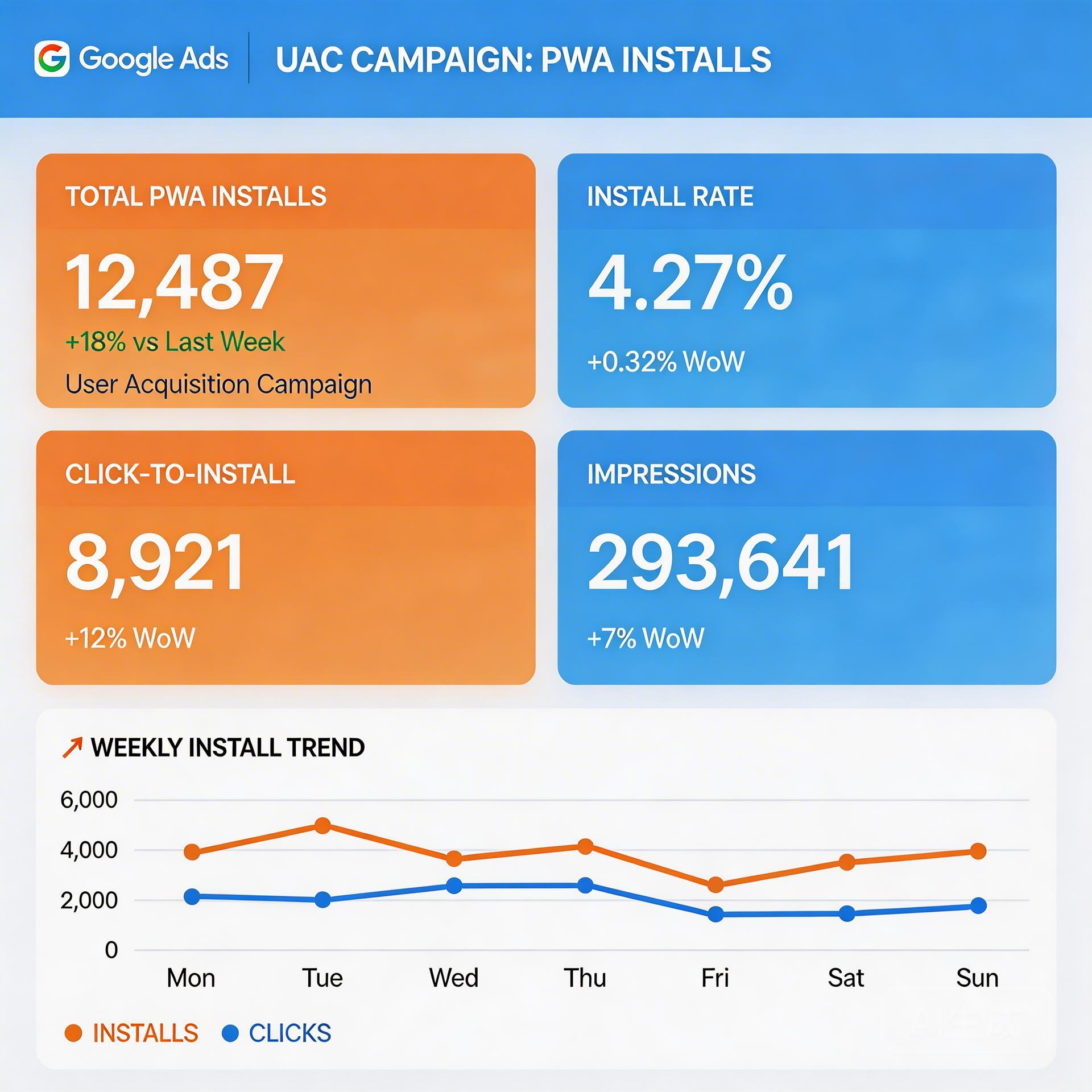
Why PWA Teams Leave Money on the Table in UAC
Universal App Campaigns (UAC) account for over 50% of all paid mobile app installs globally (Search Engine Land, 2025). Yet most PWA teams run UAC with settings copied from native app playbooks — and wonder why their cost-per-install stays stubbornly high. PWA behavior differs from native apps in ways that directly affect how Google’s machine learning optimizes your bids.
→ Want to bypass Google Play entirely? See how ROiBest PWA works — no submission, no cut, 1.2x installs.
TL;DR: Google UAC drives 50%+ of mobile installs, but PWA teams need different optimization rules. PWA install events fire faster and post-install engagement looks different to Google’s algorithm. The seven tips here — from bid strategy sequencing to audience signal layering — help UAC’s machine learning find your best users, not just the cheapest ones. Teams applying these tactics report 30-40% lower CPIs within 60 days.
For a broader look at how Google Ads and PWAs work together, see the Google Ads PWA Install Campaign: Complete 2026 Guide — it covers the full campaign setup framework that these tips build on.
Tip 1: How Should You Set Bidding Strategy for a New PWA UAC?

New UAC campaigns need at least 50 in-app conversions per month before tCPA or tROAS bidding can optimize reliably (Google Ads Help, 2025). For PWA campaigns, start with “Maximize Installs” for the first 30 days. This lets the algorithm accumulate enough install signals before you constrain it with a cost target.
The bidding transition sequence: Phase 1 (Days 1-30) — Maximize Installs, daily budget at 10-15x your target CPI. Phase 2 (Days 31-60) — Switch to tCPA once you hit 50+ installs/month, set target 20% above actual CPI from Phase 1. Phase 3 (Day 60+) — Introduce tROAS only after you have 30+ purchase events tracked, start 30% above break-even ROAS.
Tip 2: What Ad Assets Actually Drive PWA Install Conversions?
UAC asset quality directly impacts ad auction eligibility. Campaigns with at least 3 “Good” or “Best” rated assets see 20-30% lower CPIs on average (Google Ads Help, 2025). For PWA campaigns, assets that highlight the instant-install experience consistently outperform generic app feature showcases.
Video Assets (Highest Weight)
Your first video should be 15-30 seconds showing the PWA install flow — tap, prompt appears, add to home screen, app opens. Create at least two video variants with different opening hooks. UAC’s machine learning will find which hook resonates with each audience segment automatically.
Text Assets
Write 5 headlines and 5 descriptions (the maximum UAC allows). Include at least one headline that addresses the distribution method directly: “No App Store needed” or “Install instantly, no download wait.”
Tip 3: How Do You Use Audience Signals Without Overly Restricting Reach?
Campaigns using audience signals convert 15% better on average than those without them (Google Ads Help, 2025). The most valuable signals for PWA campaigns: website visitors who didn’t install (highest-intent audience), similar audiences to existing users, and in-market segments as supplementary signals.
Don’t add audience signals as “targeting” — use observation mode. Targeting mode restricts your campaign to only those audiences; observation mode lets Google use them as hints while keeping full inventory access.
Tip 4: Why Is Conversion Tracking Setup Make-or-Break for PWA UAC?
UAC campaigns with correctly configured conversion tracking achieve 2x better optimization performance than campaigns relying on modeled conversions alone (Google Ads Help, 2025). Set up your conversion hierarchy: Primary — “Add to Home Screen” accepted. Secondary — first meaningful in-app action. Micro-conversions — time on site over 60 seconds.
Tag all three conversion types in Google Ads before launching. For gaming verticals with complex post-install events, the Mobile Game Google Ads PWA Install Campaign Guide 2026 covers attribution setup in depth.
Tip 5: What Budget and Scheduling Mistakes Kill UAC Performance?
UAC campaigns that stay within 10-15x their target CPI as a daily budget learn 40% faster (Google Ads Help, 2025). Don’t pause campaigns during learning — pausing resets learning mode. Avoid ad scheduling, which overrides Google’s bidding logic. Don’t make multiple changes in one week — each significant change triggers a new learning period.
Tip 6: How Do You Read UAC Performance Data Without Getting Misled?
Top-performing PWA campaigns typically see 60-70% of their installs from Display and YouTube, not Search (Google Ads Help, 2025). Metrics that matter most: install rate (target 15-25% for PWA), Day-7 retention rate, and asset interaction rate (video completion rate over 25%). Don’t focus on impression share or average position — they don’t apply cleanly to UAC.
Tip 7: What ROAS Targets Are Realistic for PWA UAC in 2026?
Mobile gaming PWA campaigns report 150-300% ROAS as achievable steady-state targets within 90 days (Search Engine Land, 2025). Set initial tROAS at 120% of your break-even point. Ratchet upward in 10-15% increments every 14 days — large jumps trigger learning mode resets.
Frequently Asked Questions
How long does it take for a PWA UAC campaign to exit learning mode?
Most campaigns exit after accumulating 50 install conversions, typically 2-4 weeks at adequate budget (Google Ads Help, 2025). PWA campaigns can exit faster because install events fire in under 3 seconds — denser signal in shorter time windows than native app campaigns.
Can you run UAC for a PWA that isn’t on the Play Store?
Yes. UAC campaigns can drive traffic to a web URL, and the PWA install flow happens entirely on the landing page. No Play Store listing required (Google Ads Help, 2025).
How many ad assets should you upload for a new PWA UAC campaign?
Upload the maximum assets at launch: 5 headlines, 5 descriptions, 5 images, and at least 2 videos. Campaigns with more asset variety see 15-20% lower CPIs versus campaigns launched with minimal assets (Google Ads Help, 2025).
Key Takeaways: Google UAC Campaign Optimization Tips for PWA
The most important sequence: let the algorithm learn before you constrain it. Maximize Installs first, then tCPA, then tROAS. Build your asset library fully at launch. Seed the algorithm with your web audience data. Track all three conversion layers from Day 1. Then adjust slowly — 10-15% changes every 14 days.
For teams ready to take the next step, the Google Ads PWA Install Campaign: Complete 2026 Guide covers the full campaign architecture that underpins these optimization tactics.
Skip the app store. Go live instantly, keep 100% of your revenue.
ROiBest helps Android app teams launch PWAs — no review process, no 30% Google Play cut, and push notifications that work even after uninstall. Teams see up to 1.2x higher install conversion rates vs native app downloads.
发表回复