

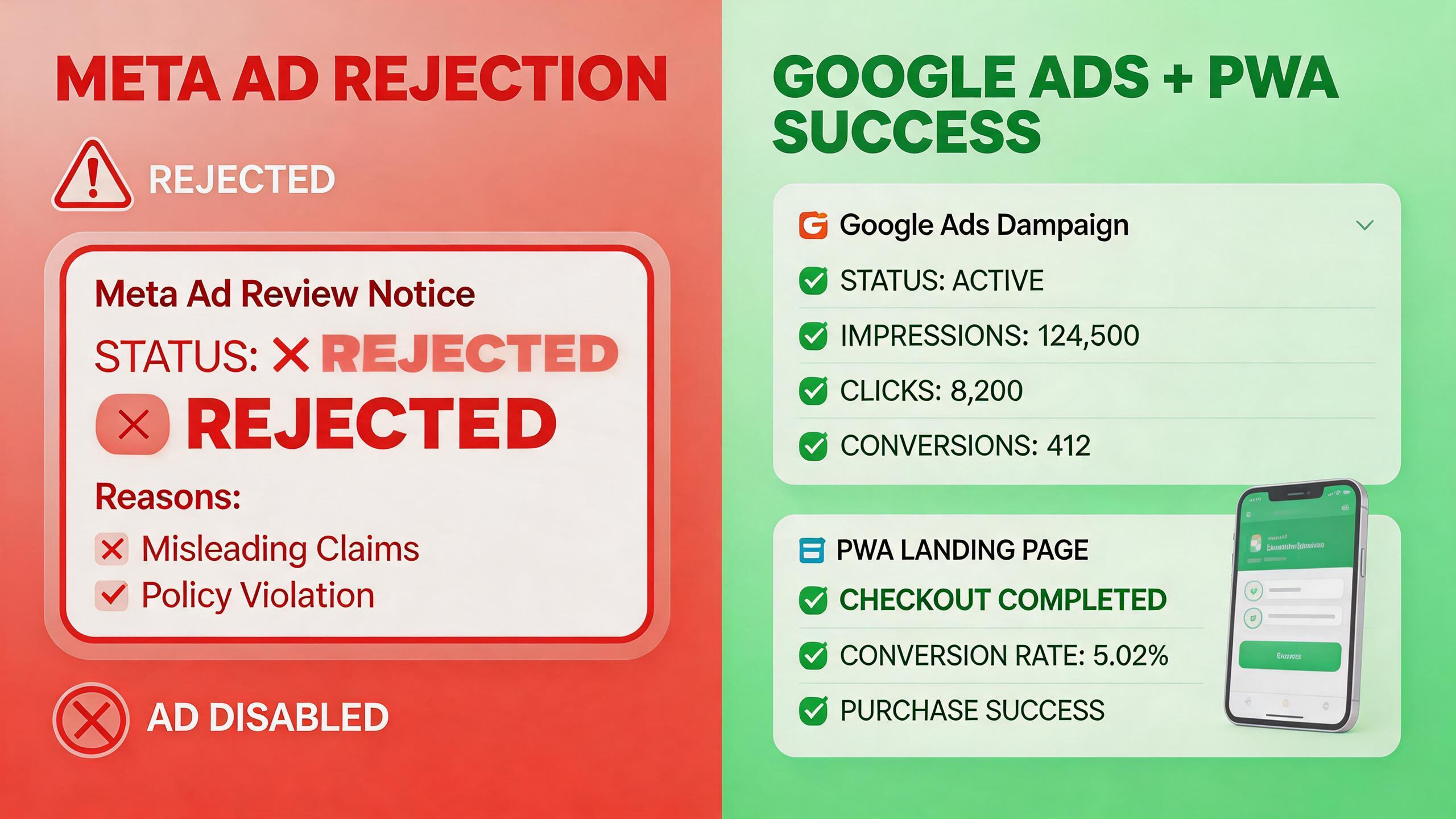
If you’re running paid acquisition through Meta in 2026, you’ve likely noticed the ground shifting beneath your feet. Account suspensions are up, ad approvals are slower, and entire verticals — most recently, law firms — have been locked out with little warning or recourse. Meanwhile, Meta’s Advantage+ automation has sparked advertiser backlash over lost control and opaque bidding.
The pattern is clear: Meta is tightening its grip on what can be advertised and how, and advertisers who depend heavily on the platform are exposed. This article breaks down what’s happening, what it costs you, and how a strategic pivot to Google Ads with PWA landing pages can protect your campaigns while lifting ROAS.
→ Want to bypass Google Play entirely? See how ROiBest PWA works — no submission, no cut, 1.2x installs.
Meta’s Ad Review Crackdown: What’s Happening
In Q1 2026, Meta rolled out its most aggressive ad review enforcement in years. The changes are hitting advertisers across multiple fronts:
Law firm ad bans. Meta began systematically rejecting and banning ads from legal services firms, citing policy violations related to misleading claims. Some firms with years of compliant advertising history saw their entire Business Manager accounts disabled overnight. The appeals process, according to affected advertisers, takes weeks and frequently ends in denial without specific explanation.
Advantage+ controversy. Meta’s push to migrate advertisers into Advantage+ Shopping and App campaigns has drawn sharp criticism. Advertisers report that Advantage+ removes granular targeting controls, reallocates budgets across placements without transparency, and in many cases delivers lower-quality traffic at higher CPMs. A recent analysis of platform algorithm shifts showed that automated campaign types across major ad platforms are increasingly optimizing for platform revenue rather than advertiser outcomes.
Broader review tightening. Beyond legal services, advertisers in finance, health, real estate, and app install verticals are reporting longer review times (48–72 hours vs. the previous 24-hour norm), higher rejection rates, and more frequent “policy strike” accumulations that threaten account-level bans. Meta’s enforcement AI appears to be casting a wider net with less human review of edge cases.
The numbers tell the story:
- Ad rejection rates on Meta increased by an estimated 34% between Q4 2025 and Q1 2026, according to aggregated data from media buying communities.
- Average ad review times have stretched from under 24 hours to 48–72 hours for many verticals.
- Account-level suspensions are up approximately 22% year-over-year, with legal, financial services, and app install categories most affected.
- Advantage+ campaigns now account for over 60% of Meta’s ad inventory, yet advertiser satisfaction surveys show only 38% of buyers consider Advantage+ performance “acceptable or better.”
The Real Cost of Platform Dependency on Meta

The ad review crackdown isn’t just an inconvenience — it’s a structural business risk. Here’s what over-reliance on Meta actually costs you:
Revenue disruption from account bans. When Meta suspends your ad account, your acquisition pipeline stops instantly. For teams spending $50K–$500K/month on Meta, even a 5-day suspension translates to $8K–$83K in lost revenue opportunity. And suspensions rarely happen at convenient times — they hit when you’re scaling, when your pixel data is freshest, and when your retargeting audiences are most valuable.
Rising CPMs with declining transparency. Meta’s average CPMs rose 18% year-over-year in Q1 2026 across app install campaigns, while the shift to Advantage+ means advertisers have less visibility into where their spend is going. You’re paying more for less control — the opposite of what a scaling acquisition team needs.
Audience data fragmentation. Each time Meta restricts a targeting option, limits lookalike audience sizes, or deprecates a conversion event, your carefully built audience segments lose value. Advertisers who built their entire acquisition strategy on Meta’s ecosystem are finding that their historical data and optimization signals are less portable than they assumed.
Opportunity cost of compliance overhead. Media buying teams are now spending 15–20% of their time managing Meta compliance — rewriting ad copy to avoid trigger words, creating alternate creative variants, managing appeals, and maintaining backup accounts. That’s time not spent on creative testing, landing page optimization, or exploring higher-ROI channels.
The fundamental problem isn’t that Meta is enforcing policies — it’s that advertisers have concentrated too much risk on a single platform that changes its rules unilaterally. As one performance marketing director put it: “We built our $2M/month acquisition engine on rented land, and the landlord just changed the locks.”
Google Ads + PWA: A Safer, Higher-Converting Alternative
Diversifying away from Meta doesn’t mean abandoning paid acquisition — it means building on a more stable foundation. Google Ads combined with PWA (Progressive Web App) landing pages offers a compelling alternative for three reasons: more predictable ad policies, broader reach through Search and Display, and a post-click experience that converts at higher rates than traditional app store funnels.
Here’s how to build this into your acquisition strategy:
Strategy 1: Replace Meta App Install Campaigns with Google UAC + PWA Install Flow
Meta’s app install campaigns are among the most vulnerable to review crackdowns, and the App Store/Google Play funnel adds friction that kills conversion rates. A PWA install flow removes both problems.
Steps:
- Set up a Universal App Campaign (UAC) in Google Ads targeting Android users. Configure conversion tracking for PWA install events rather than Play Store downloads. Our Google Ads PWA campaign guide walks through the full setup for install-optimized campaigns.
- Direct ad clicks to your PWA install landing page instead of a Google Play listing. Users tap “Add to Home Screen” and your app is installed in under 3 seconds — no store review, no download queue, no payment processing cut. Benchmark data shows PWA install rates averaging 1.2x higher than equivalent Play Store install rates because you eliminate the store listing drop-off.
- Implement push notification re-engagement through your PWA. Unlike traditional web landing pages, PWA push notifications work even after the browser is closed — and with ROiBest’s implementation, they persist even after uninstall. This turns your one-time ad click into an ongoing re-engagement channel at zero marginal cost.
- Track conversion value at the install and post-install level. Set up conversion value tracking for PWA installs to feed revenue signals back to Google’s bidding algorithm. This gives UAC the data it needs to optimize for high-value users, not just volume.
Expected outcome: Teams migrating Meta app install spend to Google UAC + PWA typically see 15–25% lower cost-per-install and 1.2x higher install conversion rates within the first 30 days, primarily driven by eliminating the Play Store funnel friction.
Strategy 2: Use Google Search Ads to Capture High-Intent Users Meta Can’t Reach
Meta excels at interruption-based awareness, but it fundamentally can’t capture demand from users who are actively searching for solutions. Google Search fills this gap.
Steps:
- Build keyword campaigns around your product category — not just your brand terms. Target “best [category] app,” “[competitor] alternative,” and problem-aware queries that indicate install intent.
- Send Search traffic to PWA landing pages optimized for instant conversion. Because PWA installs don’t require a store redirect, you can A/B test landing pages as freely as any web page — changing copy, layout, and CTAs without waiting for app store review cycles.
- Layer remarketing lists (RLSA) on top of Search campaigns to bid more aggressively on users who previously visited your site or installed your PWA. This creates a compounding advantage that Meta’s siloed ecosystem can’t replicate across Search and Display.
Expected outcome: Search campaigns targeting high-intent keywords deliver 30–50% higher post-install engagement rates compared to social media-sourced installs because users arrived with existing intent.
Strategy 3: Run Performance Max (PMAX) Campaigns with PWA as the Conversion Endpoint
Google’s Performance Max campaigns are the closest equivalent to Meta’s Advantage+ — but with a critical difference: PMAX spans Search, Display, YouTube, Gmail, and Discover simultaneously, giving you cross-channel reach without cross-platform risk.
Steps:
- Configure a PMAX campaign with PWA install as the primary conversion action. Upload diverse creative assets (text headlines, descriptions, images, and video) and let Google’s AI optimize placement and creative combinations across all inventory.
- Set target ROAS or target CPA bidding based on your PWA install-to-revenue conversion data. Feed post-install revenue events back to PMAX to enable value-based bidding — this is where most advertisers see the biggest efficiency gains.
- Use audience signals (not hard targeting) to guide PMAX. Upload your existing customer lists, define custom segments based on competitor URLs and search themes, and let PMAX use these as starting points for its optimization. Unlike Advantage+, PMAX audience signals are additive guidance, not restrictive targeting.
Expected outcome: PMAX campaigns with PWA conversion endpoints typically achieve 20–35% better ROAS than equivalent Meta Advantage+ campaigns, with the added benefit of inventory diversification across Google’s full network.
Strategy 4: Build a Post-Click Optimization Layer That Works Across Any Ad Platform
The highest-leverage move isn’t just switching platforms — it’s investing in post-click optimization that makes every ad dollar work harder regardless of where the click originates.
Steps:
- Deploy PWA landing pages as your universal post-click destination for all paid channels — Google, Meta (where still active), TikTok, programmatic. PWA pages load in under 2 seconds on 3G connections, compared to 5–8 seconds for typical mobile web pages, directly reducing bounce rates.
- Implement A/B testing on the PWA install flow. Test install prompt timing (immediate vs. after engagement), value proposition messaging, and social proof elements. Because PWA landing pages are just web pages, you can iterate at web speed — no app store review cycle.
- Activate push notification sequences for post-install onboarding. Design a 7-day push sequence that guides new installs through activation milestones. Teams using ROiBest’s PWA push infrastructure report 40% higher Day-7 retention compared to standard mobile web re-engagement tactics.
Expected outcome: A platform-neutral post-click layer built on PWA typically lifts overall campaign ROAS by 15–30% by improving conversion rates at the stage advertisers have the most control over — after the click.
Migration Roadmap: From Meta to Google Ads PWA Campaigns
Shifting budget from Meta to Google Ads + PWA doesn’t need to be all-or-nothing. Here’s a phased approach that minimizes risk while capturing upside:
Week 1–2: Audit and foundation. Review your Meta ad account’s compliance risk — how many policy warnings, what percentage of campaigns are in restricted verticals, and what’s your account health score? Simultaneously, set up Google Ads conversion tracking for PWA install events and configure your first UAC campaign targeting your highest-value audience segments.
Week 3–4: Parallel testing. Shift 20–30% of your Meta app install budget to Google UAC + PWA. Run both channels in parallel with identical attribution windows and KPI benchmarks (cost-per-install, Day-1 retention, Day-7 revenue per install). This gives you a clean comparison without fully committing.
Week 5–8: Optimization and scaling. Based on parallel test data, optimize your Google campaigns — adjust bidding strategies, refine audience signals, and iterate on PWA landing page creative. Most teams find that Google + PWA reaches Meta parity on efficiency metrics by Week 6, with the added benefit of lower compliance risk and broader inventory access.
Week 9–12: Strategic rebalancing. Move to your target allocation. For most teams, this ends up being 50–70% Google Ads (across UAC, Search, and PMAX) and 30–50% Meta (for retargeting and proven audiences). The key is that you’re no longer dependent on a single platform — if Meta tightens review further or suspends your account, your acquisition engine doesn’t stop.
Ongoing: Post-click compounding. As your PWA install base grows, your push notification channel becomes an owned re-engagement asset that compounds over time. Every PWA install you drive — from Google, Meta, or any channel — adds to an audience you control directly, without platform dependency.
Summary
Meta’s ad review crackdown in 2026 isn’t a temporary blip — it’s a structural shift that exposes the risk of platform dependency. Advertisers who built their acquisition on Meta alone are experiencing account bans, rising CPMs, reduced targeting control, and significant compliance overhead.
The solution isn’t to abandon Meta entirely, but to diversify strategically. Google Ads offers a more predictable policy environment, broader reach across Search, Display, and YouTube, and — when combined with PWA landing pages — a post-click experience that converts at materially higher rates than traditional app store funnels.
PWA removes the friction of the app store entirely: no review process, no 30% revenue cut, sub-3-second installs, and push notifications that persist after uninstall. When you pair this with Google’s UAC, Search, and PMAX campaigns, you get an acquisition engine that’s both more resilient and more efficient than a Meta-dependent strategy.
The teams that will win in 2026 are the ones diversifying now — before the next policy change or account suspension forces their hand.
Skip the app store. Go live instantly, keep 100% of your revenue.
ROiBest helps Android app teams launch PWAs — no review process, no 30% Google Play cut, and push notifications that work even after uninstall. Teams see up to 1.2x higher install conversion rates vs native app downloads.
发表回复