

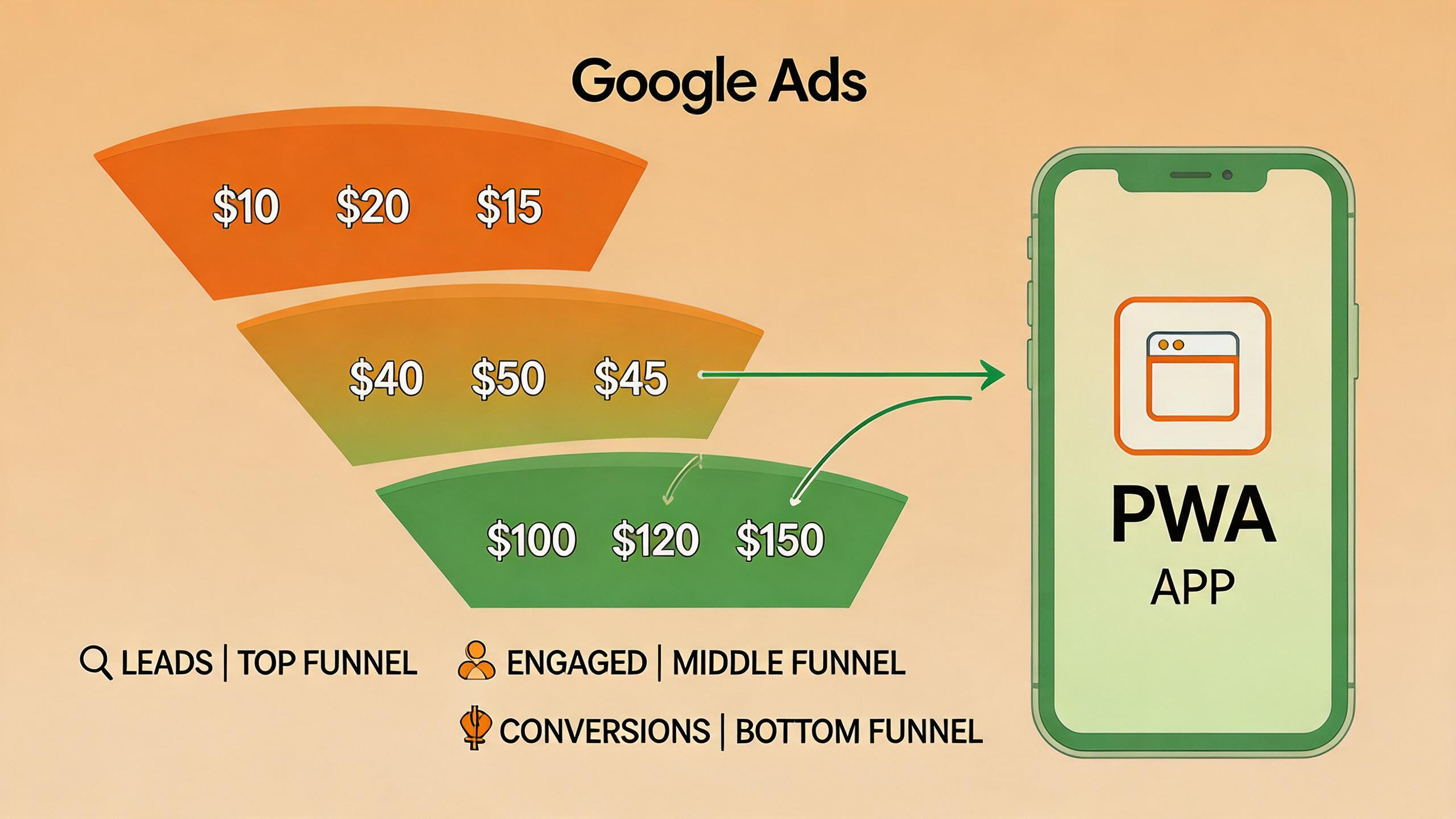
Google just updated its conversion value setup guide for advertisers, covering everything from lead gen to e-commerce value tracking. But if you are running PWA install campaigns through Google Ads, the standard setup advice does not quite apply. PWA installs track differently from native app installs, and getting the value signals right is the difference between Google’s algorithm finding you high-value users or wasting your budget on low-intent clicks.
This article shows you how to configure conversion value tracking specifically for PWA install campaigns — so Google Ads optimizes toward users who actually engage, pay, and stay.
→ Want to bypass Google Play entirely? See how ROiBest PWA works — no submission, no cut, 1.2x installs.
Why Conversion Value Matters More for PWA Campaigns
When you run a traditional app install campaign on Google Ads (UAC/App campaigns), Google tracks installs through the Play Store and uses Play Store data as the conversion signal. The algorithm knows exactly who installed, when they installed, and can match that back to the ad click automatically.
PWA campaigns work differently. Since there is no Play Store intermediary, you are tracking “Add to Home Screen” events or first-open events as the conversion signal. These events are sent via Google Tag Manager or gtag.js on your landing page. Without additional value data, Google treats every PWA install as equal — which means the algorithm optimizes purely for volume, not quality.
This is where conversion value changes the game. By sending value data with each conversion event, you tell Google’s algorithm: “This install is worth $5, that install is worth $50.” The algorithm then optimizes to find more users who look like the $50 ones. For BC gaming apps comparing UAC vs PWA distribution, conversion value tracking is what makes PWA campaigns compete on ROAS, not just CPI.
The 3 Value Models That Work for PWA Installs

Not every PWA app should assign value the same way. Here are the three models that work, matched to app type:
Model 1: First-purchase value (gaming and e-commerce)
Assign the value of the user’s first in-app purchase as the conversion value. This works when:
- Your app monetizes primarily through in-app purchases
- First purchase is a strong predictor of LTV (which it typically is for gaming)
- You have enough first-purchase events per week (minimum 30) for Google’s algorithm to learn patterns
How to set it up:
- Define a “first_purchase” conversion event in your Google Ads account
- On your PWA’s payment confirmation page, fire this event with the actual transaction amount as the value parameter
- Set currency to match your billing currency (usually USD)
- In Google Ads, set the campaign to “Maximize conversion value” instead of “Maximize conversions”
Model 2: Engagement score value (social and content apps)
For apps where revenue comes later (subscriptions, ads) or where first purchase data is too sparse, assign a value based on engagement signals within the first 24-48 hours.
- Define engagement tiers: Low = $1 (opened once), Medium = $5 (3+ sessions in 48h), High = $20 (completed onboarding + sent first message/played first game)
- Fire a “qualified_user” conversion event when a user hits the Medium or High tier
- This gives Google signal on user quality without waiting for purchase events
This model is particularly effective for AI social and companion apps, where the path from install to monetization can take weeks, but engagement quality in the first 48 hours is highly predictive.
Model 3: Predicted LTV value (data-rich teams)
If you have a mature data science capability, assign a predicted LTV value using your own ML model:
- Train a model on historical user data: features include install source, device type, geo, first-session behavior
- At the point of PWA install (or 24h post-install), predict the user’s 90-day or 180-day LTV
- Send this predicted value as the conversion value to Google Ads
This is the most powerful model but requires the most data. If you have 10,000+ historical users with known LTV, this approach delivers the best ROAS optimization. See our Google Ads PWA install campaign guide for the complete framework on setting this up.
Step-by-Step: Configuring Value Tracking for PWA Campaigns
Step 1: Set up your conversion event in Google Ads
- Go to Google Ads → Goals → Conversions → New conversion action
- Select “Website” as the source (PWA installs are tracked as website events)
- Name the conversion (e.g., “PWA First Purchase” or “PWA Qualified User”)
- Under value, select “Use different values for each conversion” — this is critical. Do not select a fixed value or “Don’t use a value”
- Set counting to “One” (one conversion per user per click)
Step 2: Implement the event on your PWA landing page
- Using gtag.js, fire the conversion event with value and currency parameters when the user completes the target action
- For Model 1 (first purchase): fire on payment confirmation
- For Model 2 (engagement): fire when user hits the engagement threshold
- For Model 3 (predicted LTV): fire at install or 24h post-install with the predicted value
Step 3: Configure your campaign for value-based bidding
- In your Google Ads campaign settings, change the bidding strategy from “Maximize conversions” to “Maximize conversion value”
- Optionally set a target ROAS (start with a modest target like 200% and adjust based on data)
- Let the campaign run for 2-3 weeks with the new value signals before making bid adjustments — the algorithm needs time to learn from the new data
Step 4: Validate and calibrate
- After 2 weeks, compare the conversion values reported by Google Ads against your actual revenue data
- If there is a consistent over- or under-report, adjust your value multiplier
- Check that the algorithm is bidding more for high-value user segments (you can see this in Audience Insights)
For teams already running PMax campaigns for PWA installs, adding value signals to existing conversion events is even more impactful because PMax already optimizes across channels — value data tells it which channels produce the highest-value users.
Common Mistakes to Avoid
1. Using a fixed conversion value. If every PWA install has the same value ($10 for everyone), you are back to optimizing for volume. The algorithm needs variance to learn which users are worth more.
2. Setting values too late. If your value event fires 7 days after install, Google’s attribution model may not connect it to the original ad click. Fire within 24-48 hours of the click for best results.
3. Not enough conversion volume. Value-based bidding requires at least 30 conversions per week to optimize effectively. If your PWA campaign does not hit this threshold, consolidate campaigns or use Model 2 (engagement scoring) which triggers earlier and more frequently than purchase events.
4. Mixing PWA and Play Store conversions. If you run both PWA and Play Store campaigns, track them with separate conversion actions. Mixing them in one conversion action confuses the algorithm because the user journeys are fundamentally different.
What to Expect After Implementation
Based on data from PWA campaigns across gaming and AI app verticals:
- Weeks 1-2: CPI may increase slightly as the algorithm re-learns with value signals. This is normal — do not panic or reduce budgets.
- Weeks 3-4: ROAS should improve as the algorithm starts finding higher-value users. Expect 15-30% ROAS improvement compared to volume-only optimization.
- Month 2+: The compound effect kicks in. Better users generate more revenue, which funds more ad spend, which attracts more high-value users. This flywheel is the primary advantage of value-based optimization.
Action Checklist
- Choose your value model (first-purchase, engagement score, or predicted LTV) based on your app type and data maturity
- Set up the conversion event in Google Ads with “different values for each conversion”
- Implement the event on your PWA landing page or post-install flow
- Switch to “Maximize conversion value” bidding on your PWA campaigns
- Wait 2-3 weeks before adjusting — let the algorithm learn
- Validate against actual revenue and calibrate value multipliers as needed
The advertisers who send value signals to Google Ads will pay less for higher-quality users. Everyone else will continue competing on volume, bidding the same for users worth $5 and users worth $50. That is an expensive mistake when digital service taxes are already squeezing margins.
Skip the app store. Go live instantly, keep 100% of your revenue.
ROiBest helps Android app teams launch PWAs — no review process, no 30% Google Play cut, and push notifications that work even after uninstall. Teams see up to 1.2x higher install conversion rates vs native app downloads.
发表回复